
Gir Bingo Card Meme Generator
Create Your Gir Bingo Card Meme

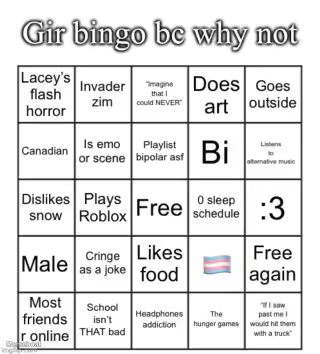
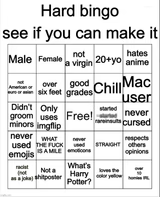
A 25-square bingo card of niche internet identity traits and inside jokes, titled Gir's Bingo. Fill it out, caption it, download it free.
Blank Gir Bingo Card meme template
Download the blank Gir Bingo Card template to caption it yourself, or add your text right here in the editor above and download the finished meme.
When to use the Gir Bingo Card meme
- Making a personality bingo card for your friend group to fill out
- Building a fandom-specific bingo card for a show or game community
- Turning a list of inside jokes into a shareable checklist format
Gir Bingo Card template facts
- Dimensions
- 500 × 554 px
- Format
- JPG
- Added
- 2026
About the Gir Bingo Card meme template
This is the format everyone's been filling out in their group chats: a full bingo card of hyper-specific personality traits, fandoms, and identity jokes, all stacked into 25 squares under a goofy title. It's basically a personality quiz disguised as a meme.
Swap in your own squares to build a bingo card for your friend group, your fandom, or your own chaotic personality, then let people mark off which ones apply to them.
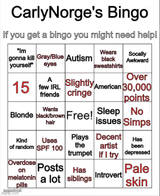
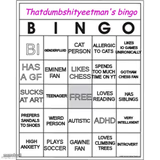
Templates similar to Gir Bingo Card


Gir Bingo Card meme FAQ
How do I make a Gir Bingo Card meme?
Scroll up to the Gir Bingo Card template, add your own text boxes in the editor above and type your captions, adjust the font, size and color if you like, then click download. Your finished Gir Bingo Card meme is ready to share in seconds.
Can I use the Gir Bingo Card template for free?
Yes. The Gir Bingo Card template is completely free to use — no signup and no limits on how many memes you create or where you share them.
How do I download my Gir Bingo Card meme?
Click the download button under the editor once your Gir Bingo Card meme looks right. It saves straight to your device as a high-quality PNG or JPEG image.
How do I download the blank Gir Bingo Card template?
Use the "Download blank template" button in the blank Gir Bingo Card template section above to save the original, un-captioned image — handy if you'd rather caption it in another app or keep a copy.