
Get to know fill in the blank Meme Generator
Create Your Get to know fill in the blank Meme
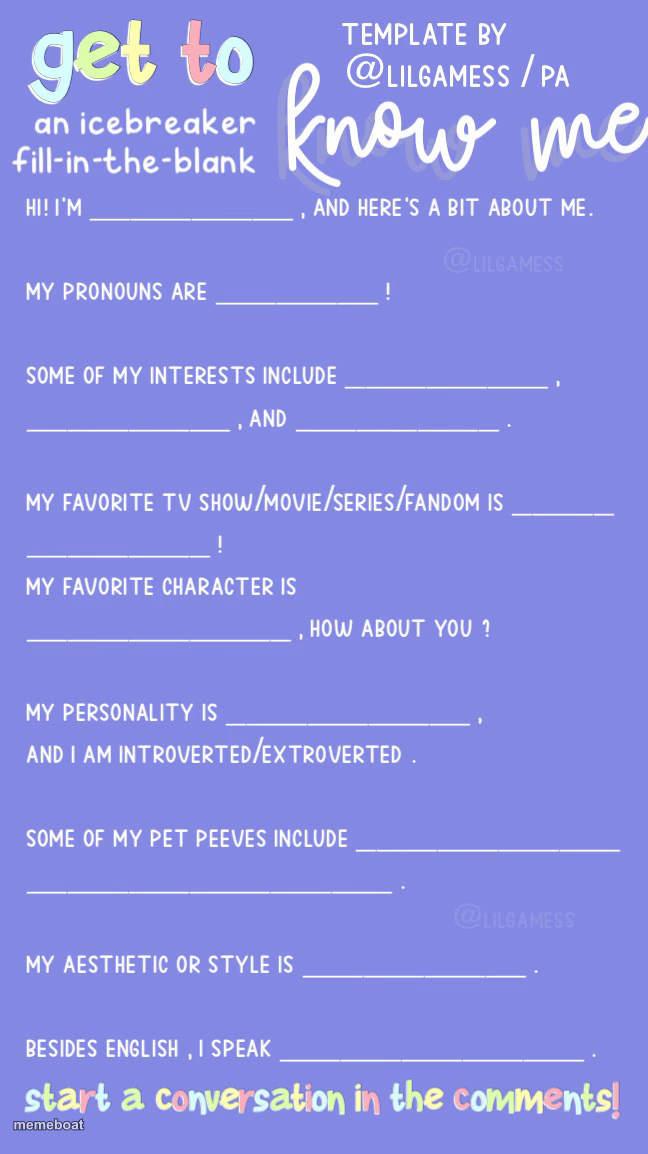
A purple icebreaker fill-in-the-blank template with 11 prompts about your name, pronouns, interests, and vibe. Caption every blank and download free.
Blank Get to know fill in the blank meme template
Download the blank Get to know fill in the blank template to caption it yourself, or add your text right here in the editor above and download the finished meme.
When to use the Get to know fill in the blank meme
- Introducing yourself to a new fandom or Discord server
- Building a profile for your OC or D&D character
- A fun personality-quiz style post for your friend group
- Onboarding intro post for a new group chat
Get to know fill in the blank template facts
- Dimensions
- 648 × 1154 px
- Format
- JPG
- Text boxes
- 11
- Added
- 2025
About the Get to know fill in the blank meme template
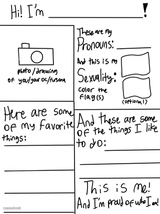
This is the classic "get to know me" comment-bait template — name, pronouns, interests, favorite show, favorite character, personality, pet peeves, aesthetic, and languages, all laid out as blanks waiting to be filled in.
It's built for exactly one thing: filling in every line with your (or a character's, or a friend's) actual answers and posting it so people start a conversation in the comments. Works great for OC intros, fandom character profiles, or just a fun personal post.
Popular Get to know fill in the blank caption ideas
Chaos Gremlin · They/Them · Naps, snacks, chaos · Naps and pretending to work · The Office · Michael Scott · Unbothered but loud · Introverted · People who chew loudly · Whatever's clean · Sarcasm
Toast Enjoyer · It/Its · Toast, more toast · Butter distribution · Bread · The Toaster · Crispy on the outside · Extroverted · Soggy bread · Toast-themed · Crumb
Definitely Not a Raccoon · Trash/Panda · Shiny objects, garbage · Dumpster diving · Nature documentaries · Rocket Raccoon · Feral but polite · Extroverted · Locked trash cans · Bandit mask · Hiss
Templates similar to Get to know fill in the blank

Get to know fill in the blank meme FAQ
How do I make a Get to know fill in the blank meme?
Scroll up to the Get to know fill in the blank template, type your caption into the 11 text boxes in the editor above, adjust the font, size and color if you like, then click download. Your finished Get to know fill in the blank meme is ready to share in seconds.
Can I use the Get to know fill in the blank template for free?
Yes. The Get to know fill in the blank template is completely free to use — no signup and no limits on how many memes you create or where you share them.
How do I download my Get to know fill in the blank meme?
Click the download button under the editor once your Get to know fill in the blank meme looks right. It saves straight to your device as a high-quality PNG or JPEG image.
How do I download the blank Get to know fill in the blank template?
Use the "Download blank template" button in the blank Get to know fill in the blank template section above to save the original, un-captioned image — handy if you'd rather caption it in another app or keep a copy.