
Garfield Channel Surfing Meme Generator
Create Your Garfield Channel Surfing Meme
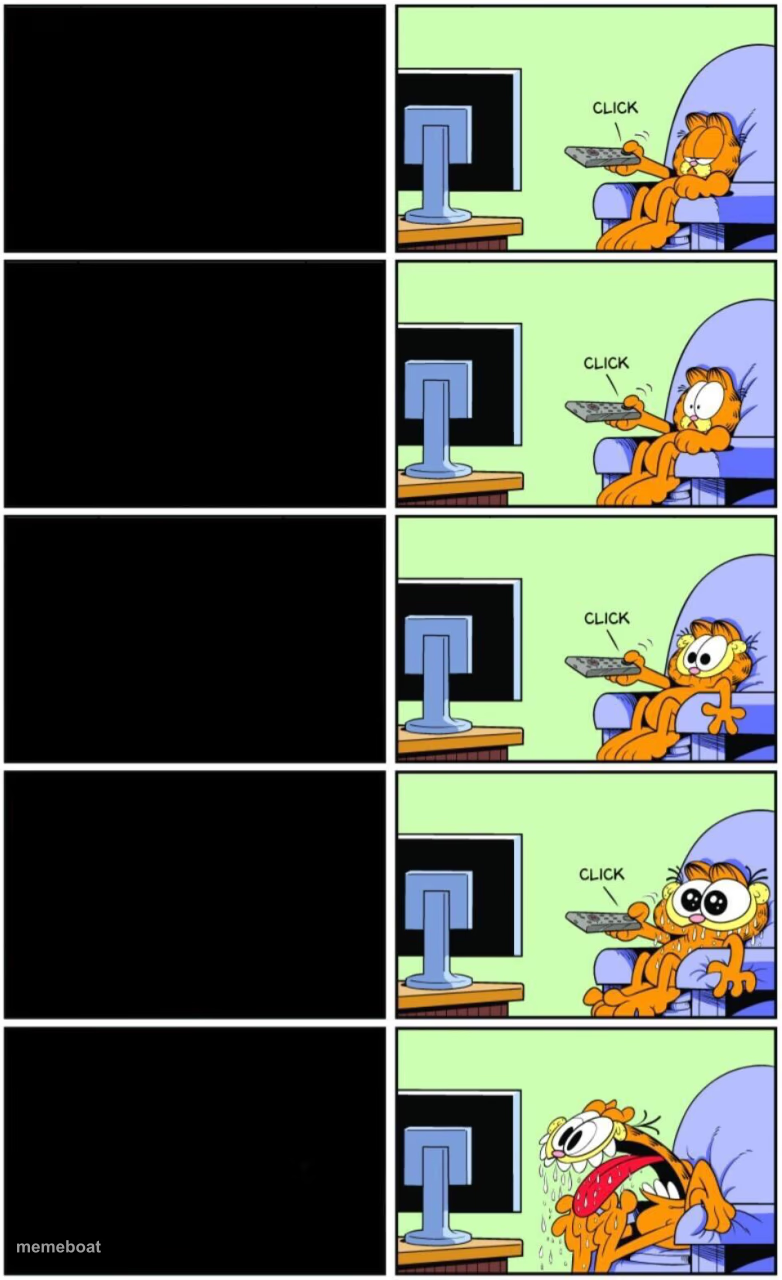
Also known as: Garfield Clicker Escalation
Garfield clicks through the channels calmly, then hits something horrifying on the last click. Great for a slow buildup to a disturbing punchline. Free to caption and download.
Blank Garfield Channel Surfing meme template
Download the blank Garfield Channel Surfing template to caption it yourself, or add your text right here in the editor above and download the finished meme.
When to use the Garfield Channel Surfing meme
- Building up four mundane things before the fifth one is a disaster
- Scrolling social media calmly until you see something you can't unsee
- A slow reveal where the punchline lands only in the last panel
Garfield Channel Surfing template facts
- Featuring
- Garfield
- Dimensions
- 782 × 1280 px
- Format
- PNG
- Text boxes
- 5
- Added
- 2025
About the Garfield Channel Surfing meme template
The Garfield reaction meme template originates from the iconic comic strip character Garfield, created by Jim Davis in 1978. This particular meme gained traction as a viral phenomenon on social media platforms in the late 2010s, capturing Garfield’s trademark drooling and unimpressed expressions. Embedded deeply in internet culture, the Garfield reaction meme perfectly encapsulates humorous, exaggerated responses to everyday situations. Its popularity stems from its versatility and nostalgic appeal, making it a staple in meme culture and a favorite among cat meme enthusiasts.
Knowing how to use the Garfield reaction meme template effectively can elevate your social media content with relatable and funny reactions. This meme is perfect for expressing feelings of boredom, hunger, or sarcastic enthusiasm, making it ideal for posts on Instagram, Twitter, Facebook, and TikTok. Whether you want to convey a drooling anticipation or a nuked reaction to something overwhelming, this template fits perfectly into humorous and entertaining online conversations. Learn how to make Garfield reaction memes that resonate with your audience and boost engagement with relatable moments.
The Garfield reaction meme remains one of the most shareable and viral meme templates available today. With our easy-to-use online meme maker, you can create, customize, and generate your own Garfield reaction memes instantly—no design skills needed. This generator offers quick results, allowing you to add custom text and personalize your meme for maximum comedic impact. Join millions of users who have embraced this trending meme to create viral content that spreads laughter across social media. Start making your Garfield reaction meme now and watch your posts go viral!
Popular Garfield Channel Surfing caption ideas
girl · cute girl · hot girl · sexy girl · girl with a good personality
OPENS PHONE · CHECKS WEATHER · CHECKS EMAIL · CHECKS TEXTS · SEES THE GROUP CHAT ARGUING ABOUT ME
MONDAY · TUESDAY · WEDNESDAY · THURSDAY · SEES IT'S ONLY THURSDAY
SCROLLING LINKEDIN · MORE HUSTLE POSTS · MORE HUSTLE POSTS · MORE HUSTLE POSTS · SOMEONE ANNOUNCING THEY'RE 'HUMBLED'
Templates similar to Garfield Channel Surfing



Garfield Channel Surfing meme FAQ
How do I make a Garfield Channel Surfing meme?
Scroll up to the Garfield Channel Surfing template, type your caption into the 5 text boxes in the editor above, adjust the font, size and color if you like, then click download. Your finished Garfield Channel Surfing meme is ready to share in seconds.
Can I use the Garfield Channel Surfing template for free?
Yes. The Garfield Channel Surfing template is completely free to use — no signup and no limits on how many memes you create or where you share them.
How do I download my Garfield Channel Surfing meme?
Click the download button under the editor once your Garfield Channel Surfing meme looks right. It saves straight to your device as a high-quality PNG or JPEG image.
How do I download the blank Garfield Channel Surfing template?
Use the "Download blank template" button in the blank Garfield Channel Surfing template section above to save the original, un-captioned image — handy if you'd rather caption it in another app or keep a copy.