
Toothy Grinning Dog Meme Generator
Create Your Toothy Grinning Dog Meme

A dog baring its teeth in the most human-looking grin ever caught on camera. Ideal for awkward smiles and 'nothing to see here' jokes. Free to caption and download.
Blank Toothy Grinning Dog meme template
Download the blank Toothy Grinning Dog template to caption it yourself, or add your text right here in the editor above and download the finished meme.
When to use the Toothy Grinning Dog meme
- When you get caught mid-snack that wasn't yours
- Trying to look innocent after breaking something
- The forced smile in every awkward family photo
Toothy Grinning Dog template facts
- Dimensions
- 235 × 224 px
- Format
- JPG
- Text boxes
- 2
- Added
- 2025
About the Toothy Grinning Dog meme template
This dog is smiling like it just got caught doing something it absolutely was not supposed to do. Full teeth, guilty eyes, zero shame — the universal face of 'I have no idea what you're talking about.'
Popular Toothy Grinning Dog caption ideas
DOESN'T GET ANY UPVOTES ON HIS MEMES · STILL AMUSES HIMSELF
ME EXPLAINING · WHY I'M LATE AGAIN
WHO ATE THE LAST SLICE? · WASN'T ME
WHEN THE PHOTOGRAPHER SAYS · SAY CHEESE
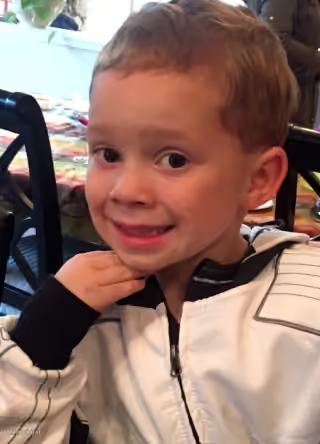
Templates similar to Toothy Grinning Dog
Toothy Grinning Dog meme FAQ
How do I make a Toothy Grinning Dog meme?
Scroll up to the Toothy Grinning Dog template, type your caption into the 2 text boxes in the editor above, adjust the font, size and color if you like, then click download. Your finished Toothy Grinning Dog meme is ready to share in seconds.
Can I use the Toothy Grinning Dog template for free?
Yes. The Toothy Grinning Dog template is completely free to use — no signup and no limits on how many memes you create or where you share them.
How do I download my Toothy Grinning Dog meme?
Click the download button under the editor once your Toothy Grinning Dog meme looks right. It saves straight to your device as a high-quality PNG or JPEG image.
How do I download the blank Toothy Grinning Dog template?
Use the "Download blank template" button in the blank Toothy Grinning Dog template section above to save the original, un-captioned image — handy if you'd rather caption it in another app or keep a copy.