
Breaching Shark Meme Generator
Create Your Breaching Shark Meme

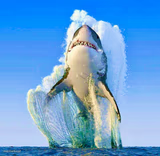
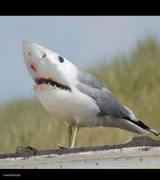
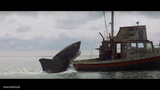
A great white shark bursting out of the water jaws open. Perfect for jump-scares, sudden problems, or anything that comes at you out of nowhere. Free to caption and download.
Blank Breaching Shark meme template
Download the blank Breaching Shark template to caption it yourself, or add your text right here in the editor above and download the finished meme.
When to use the Breaching Shark meme
- That one email that ruins your whole afternoon
- When bad news ambushes you with zero warning
- The feeling of opening your bank app on payday
Breaching Shark template facts
- Dimensions
- 589 × 370 px
- Format
- JPG
- Added
- 2025
About the Breaching Shark meme template
This is a real great white breaching the surface, mouth open, water exploding everywhere — the kind of photo that makes you nope out of the ocean forever. There's nothing friendly about that grin, whatever the old name said.
Use it for anything that ambushes you: Monday mornings, surprise expenses, a group chat notification you weren't ready for. Big "didn't see that coming" energy, all teeth.
Popular Breaching Shark caption ideas
JUST JUMP DON’T WORRY · I’LL CATCH YOU
Templates similar to Breaching Shark


Breaching Shark meme FAQ
How do I make a Breaching Shark meme?
Scroll up to the Breaching Shark template, add your own text boxes in the editor above and type your captions, adjust the font, size and color if you like, then click download. Your finished Breaching Shark meme is ready to share in seconds.
Can I use the Breaching Shark template for free?
Yes. The Breaching Shark template is completely free to use — no signup and no limits on how many memes you create or where you share them.
How do I download my Breaching Shark meme?
Click the download button under the editor once your Breaching Shark meme looks right. It saves straight to your device as a high-quality PNG or JPEG image.
How do I download the blank Breaching Shark template?
Use the "Download blank template" button in the blank Breaching Shark template section above to save the original, un-captioned image — handy if you'd rather caption it in another app or keep a copy.