
Five Guys Logo Meme Generator
Create Your Five Guys Logo Meme
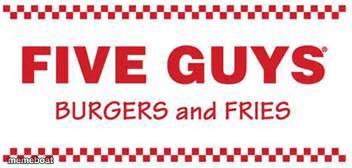
The Five Guys burger logo, checkered border and all. Slap your own text on it for food jokes and cravings memes. Caption it free, no sign-up needed.
Blank Five Guys Logo meme template
Download the blank Five Guys Logo template to caption it yourself, or add your text right here in the editor above and download the finished meme.
When to use the Five Guys Logo meme
- Defending Five Guys prices to a skeptical friend
- Announcing you're eating your feelings tonight
- Fast food chain rivalry debates
- Craving fries at 2am for no reason
Five Guys Logo template facts
- Dimensions
- 352 × 168 px
- Format
- JPG
- Text boxes
- 2
- Added
- 2025
About the Five Guys Logo meme template
Nothing fancy here, just the unmistakable red-and-white Five Guys logo — the kind of thing that makes you crave fries at 11pm just from looking at it.
Great for fast food loyalty wars, 'why is this so expensive now' jokes, or bragging about your order like it's a personality trait.
Popular Five Guys Logo caption ideas
$40 FOR TWO BURGERS AND A DRINK · WORTH EVERY PENNY
MY DIET STARTS MONDAY · MY WALLET AFTER FIVE GUYS TONIGHT
THE LITTLE CUP OF FRIES · THAT'S SECRETLY THE WHOLE BAG
Templates similar to Five Guys Logo




Five Guys Logo meme FAQ
How do I make a Five Guys Logo meme?
Scroll up to the Five Guys Logo template, type your caption into the 2 text boxes in the editor above, adjust the font, size and color if you like, then click download. Your finished Five Guys Logo meme is ready to share in seconds.
Can I use the Five Guys Logo template for free?
Yes. The Five Guys Logo template is completely free to use — no signup and no limits on how many memes you create or where you share them.
How do I download my Five Guys Logo meme?
Click the download button under the editor once your Five Guys Logo meme looks right. It saves straight to your device as a high-quality PNG or JPEG image.
How do I download the blank Five Guys Logo template?
Use the "Download blank template" button in the blank Five Guys Logo template section above to save the original, un-captioned image — handy if you'd rather caption it in another app or keep a copy.