
Find the halfling Meme Generator
Create Your Find the halfling Meme

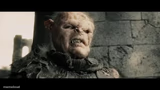
Lurtz the Uruk-hai roaring 'Find the halflings!' from Lord of the Rings — perfect for demanding someone tiny be found or dragged in front of you. Caption free.
Blank Find the halfling meme template
Download the blank Find the halfling template to caption it yourself, or add your text right here in the editor above and download the finished meme.
When to use the Find the halfling meme
- Demanding someone track down the shortest person in the group chat
- A manager frantically hunting for whoever skipped the meeting
- Searching the house for the one kid who's hiding instead of doing chores
- Any time you need to sound way too intense about a small task
Find the halfling template facts
- Featuring
- Lurtz (The Lord of the Rings: The Fellowship of the Ring)
- Dimensions
- 750 × 536 px
- Format
- JPG
- Added
- 2025
About the Find the halfling meme template
Lurtz, the terrifying Uruk-hai captain from Fellowship of the Ring, screaming his one directive to the orc horde: find the halflings. It's an image built entirely out of menace, and that intensity is what makes it so funny slapped onto completely mundane demands.
Templates similar to Find the halfling





Find the halfling meme FAQ
How do I make a Find the halfling meme?
Scroll up to the Find the halfling template, add your own text boxes in the editor above and type your captions, adjust the font, size and color if you like, then click download. Your finished Find the halfling meme is ready to share in seconds.
Can I use the Find the halfling template for free?
Yes. The Find the halfling template is completely free to use — no signup and no limits on how many memes you create or where you share them.
How do I download my Find the halfling meme?
Click the download button under the editor once your Find the halfling meme looks right. It saves straight to your device as a high-quality PNG or JPEG image.
How do I download the blank Find the halfling template?
Use the "Download blank template" button in the blank Find the halfling template section above to save the original, un-captioned image — handy if you'd rather caption it in another app or keep a copy.