
FINALLY Meme Generator
Create Your FINALLY Meme
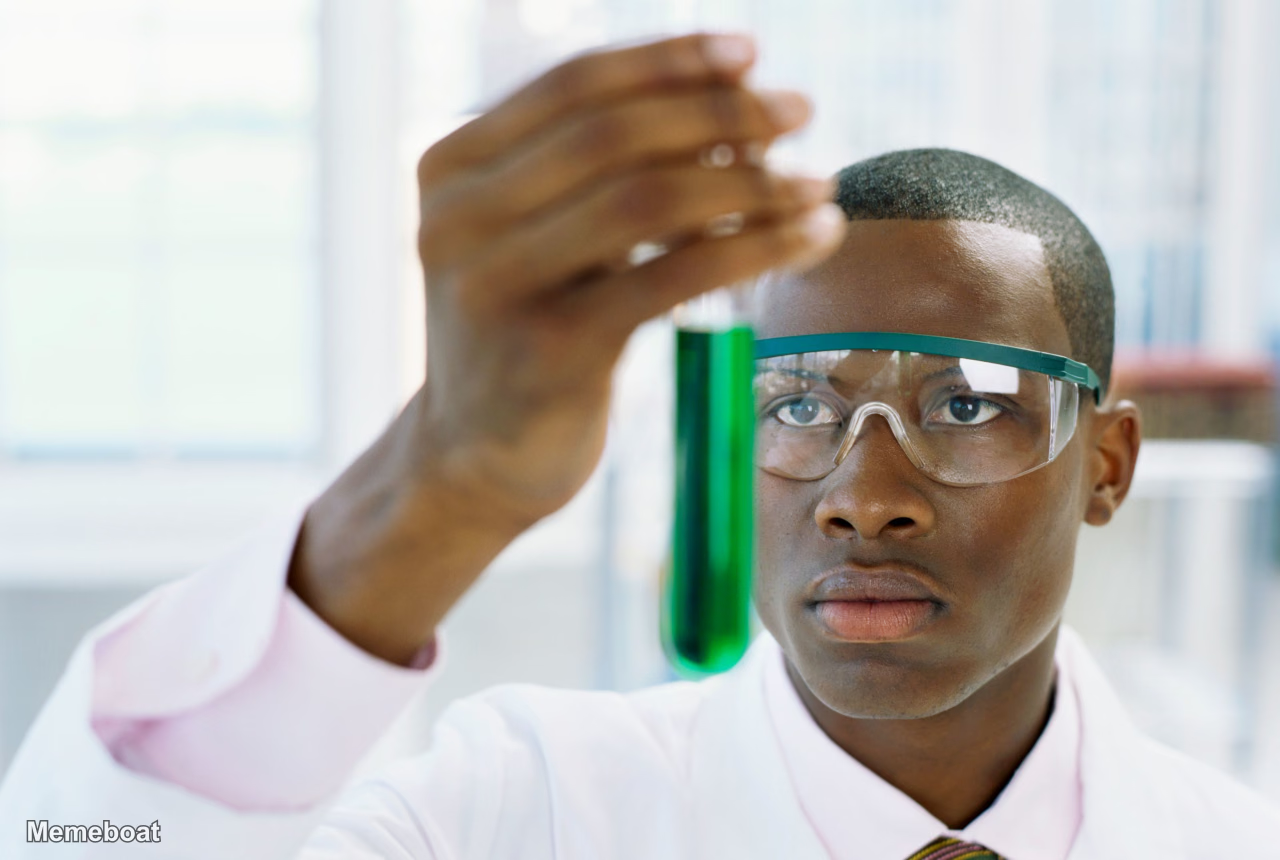
Also known as: Finally Scientific Test Tube Liquid · Finally, X · Man Examining Test Tube · Scientist with Test Tube
Express excitement and relief with the FINALLY meme template. Add your own text to celebrate long-awaited moments and download your custom meme instantly.
Blank FINALLY meme template
Download the blank FINALLY template to caption it yourself, or add your text right here in the editor above and download the finished meme.
FINALLY template facts
- Dimensions
- 1280 × 860 px
- Format
- PNG
- Added
- 2026
About the FINALLY meme template
Capture that moment of pure satisfaction when something you've been waiting for actually happens. This template works perfectly for celebrating achievements, announcements, or any situation where patience finally pays off.
The format shines when your caption contrasts a long wait with the exciting payoff. Try pairing it with things you've been anticipating - whether it's a favorite drink like "ROOT BEER" or any personal milestone you've been working toward.
Add your custom text to create a meme that captures your own moment of triumph. Download your finished meme instantly and share your excitement with others.
Popular FINALLY caption ideas
FINALLY · ROOT BEER






FINALLY meme FAQ
How do I make a FINALLY meme?
Scroll up to the FINALLY template, add your own text boxes in the editor above and type your captions, adjust the font, size and color if you like, then click download. Your finished FINALLY meme is ready to share in seconds.
Can I use the FINALLY template for free?
Yes. The FINALLY template is completely free to use — no signup and no limits on how many memes you create or where you share them.
How do I download my FINALLY meme?
Click the download button under the editor once your FINALLY meme looks right. It saves straight to your device as a high-quality PNG or JPEG image.
How do I download the blank FINALLY template?
Use the "Download blank template" button in the blank FINALLY template section above to save the original, un-captioned image — handy if you'd rather caption it in another app or keep a copy.