
Fear not lady, I'll save you Meme Generator
Create Your Fear not lady, I'll save you Meme

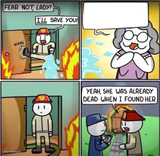
A comic firefighter heroically kicks down a door to save someone, then reveals a darkly funny twist. Great for setups that go hilariously wrong. Caption and download free.
Blank Fear not lady, I'll save you meme template
Download the blank Fear not lady, I'll save you template to caption it yourself, or add your text right here in the editor above and download the finished meme.
When to use the Fear not lady, I'll save you meme
- A confident plan that immediately backfires
- Setting up a big heroic moment that turns pointless
- Any story with a twist ending that ruins the mood
- Overconfidence followed by an awkward reveal
Fear not lady, I'll save you template facts
- Dimensions
- 500 × 509 px
- Format
- JPG
- Added
- 2025
About the Fear not lady, I'll save you meme template
This four-panel comic starts with a firefighter kicking in a door to save a lady from a burning building, all confidence and heroics — and then the punchline lands with a gut-punch of dark comedy that completely undercuts the setup.
Templates similar to Fear not lady, I'll save you

Fear not lady, I'll save you meme FAQ
How do I make a Fear not lady, I'll save you meme?
Scroll up to the Fear not lady, I'll save you template, add your own text boxes in the editor above and type your captions, adjust the font, size and color if you like, then click download. Your finished Fear not lady, I'll save you meme is ready to share in seconds.
Can I use the Fear not lady, I'll save you template for free?
Yes. The Fear not lady, I'll save you template is completely free to use — no signup and no limits on how many memes you create or where you share them.
How do I download my Fear not lady, I'll save you meme?
Click the download button under the editor once your Fear not lady, I'll save you meme looks right. It saves straight to your device as a high-quality PNG or JPEG image.
How do I download the blank Fear not lady, I'll save you template?
Use the "Download blank template" button in the blank Fear not lady, I'll save you template section above to save the original, un-captioned image — handy if you'd rather caption it in another app or keep a copy.