
Surprised Patrick Meme Generator
Create Your Surprised Patrick Meme
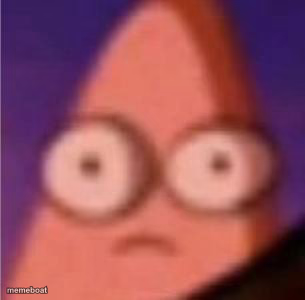
Extreme close-up of Patrick Star's wide, blank-eyed stare — perfect for shock, disbelief, or a slow realization hitting. Free to caption and download.
Blank Surprised Patrick meme template
Download the blank Surprised Patrick template to caption it yourself, or add your text right here in the editor above and download the finished meme.
When to use the Surprised Patrick meme
- Hearing a wild conspiracy theory with a straight face
- Realizing autocorrect changed your text into something horrifying
- Getting asked a question you have zero answer for
Surprised Patrick template facts
- Featuring
- Patrick Star (SpongeBob SquarePants)
- Dimensions
- 305 × 300 px
- Format
- JPG
- Text boxes
- 1
- Added
- 2025
About the Surprised Patrick meme template
A close-up crop of Patrick's face, eyes bugged out and totally blank, somewhere between shocked and completely checked out. It's the internet's favorite face for 'wait, what?' moments.
Use it for anything that short-circuits your brain — plot twists, dumb questions, or realizing you've been doing something wrong for years.
Popular Surprised Patrick caption ideas
WAIT, TAXES ARE DUE WHEN?
Templates similar to Surprised Patrick



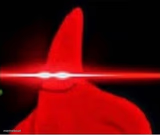
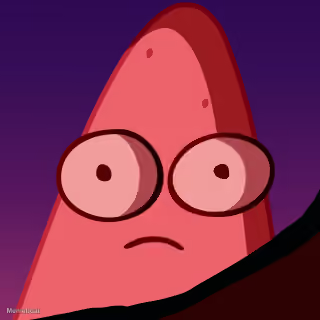
Surprised Patrick meme FAQ
How do I make a Surprised Patrick meme?
Scroll up to the Surprised Patrick template, type your caption into the text box in the editor above, adjust the font, size and color if you like, then click download. Your finished Surprised Patrick meme is ready to share in seconds.
Can I use the Surprised Patrick template for free?
Yes. The Surprised Patrick template is completely free to use — no signup and no limits on how many memes you create or where you share them.
How do I download my Surprised Patrick meme?
Click the download button under the editor once your Surprised Patrick meme looks right. It saves straight to your device as a high-quality PNG or JPEG image.
How do I download the blank Surprised Patrick template?
Use the "Download blank template" button in the blank Surprised Patrick template section above to save the original, un-captioned image — handy if you'd rather caption it in another app or keep a copy.