
ewww Meme Generator
Create Your ewww Meme
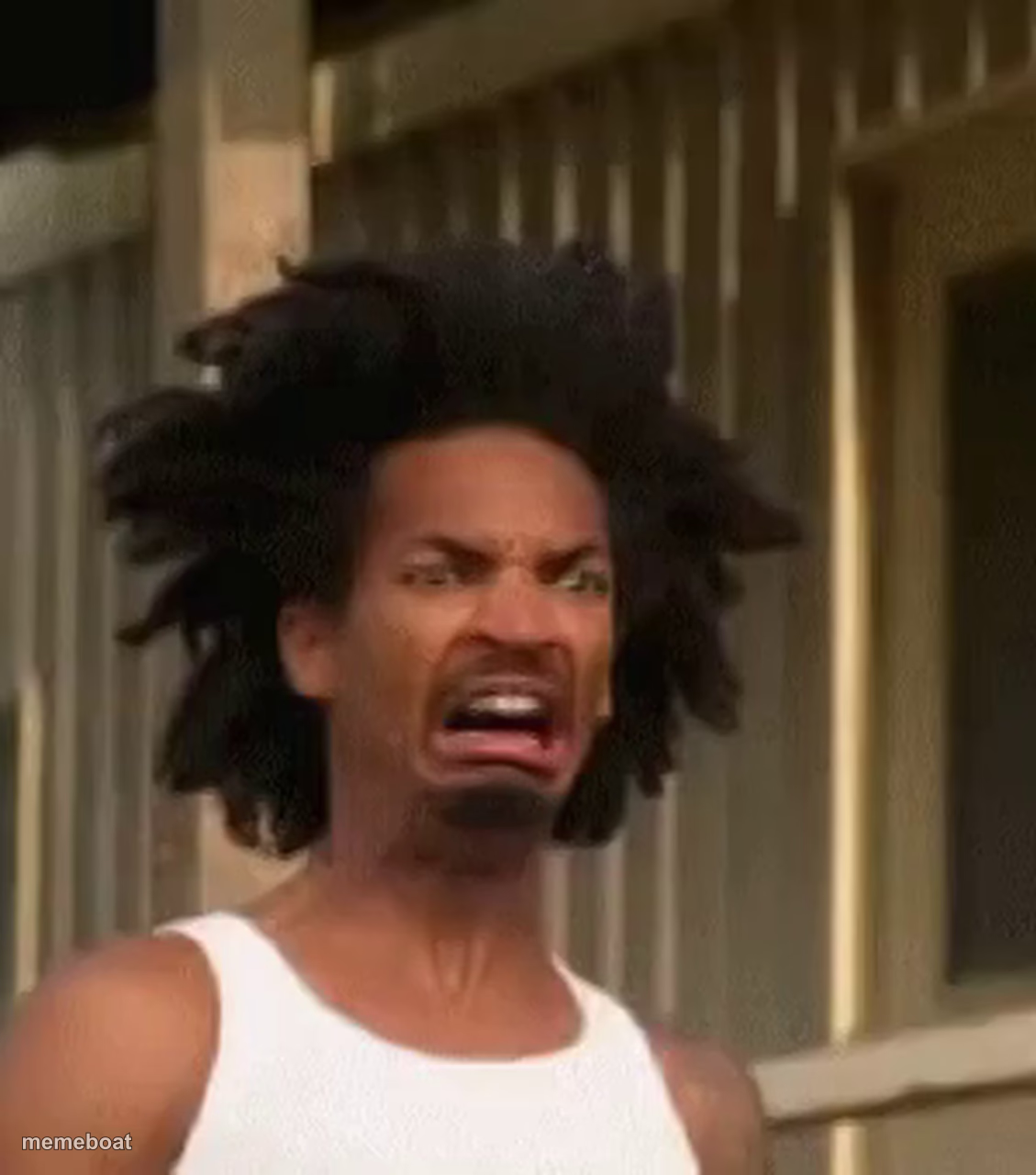
A man with wild, electrified hair scrunches his face in total disgust. Perfect for reacting to something truly gross. Caption it free.
Blank ewww meme template
Download the blank ewww template to caption it yourself, or add your text right here in the editor above and download the finished meme.
When to use the ewww meme
- Opening the fridge to find last week's leftovers gone bad
- Reading a text message that came out of nowhere
- Tasting a drink someone swapped the sugar for salt in
- Walking into a room after someone microwaved fish
ewww template facts
- Dimensions
- 1129 × 1280 px
- Format
- JPG
- Text boxes
- 2
- Added
- 2025
About the ewww meme template
Some faces just say it all, and this one screams pure disgust. The wild, static-shocked hair only adds to the chaos of the moment — like he just smelled, saw, or tasted the worst thing imaginable and his whole body reacted at once.
It is the ideal template for those 'wait, what did I just witness' moments, whether it is a bad smell, a cringe text, or a plot twist nobody asked for. Add your own caption and let the hair do half the acting for you.
Popular ewww caption ideas
ME OPENING THE GROUP CHAT · AFTER BEING TAGGED IN THAT PHOTO
WHEN THEY SAY · PINEAPPLE BELONGS ON PIZZA
MY FACE WHEN · MY WIFI DROPS DURING THE FINAL BOSS
Templates similar to ewww
ewww meme FAQ
How do I make a ewww meme?
Scroll up to the ewww template, type your caption into the 2 text boxes in the editor above, adjust the font, size and color if you like, then click download. Your finished ewww meme is ready to share in seconds.
Can I use the ewww template for free?
Yes. The ewww template is completely free to use — no signup and no limits on how many memes you create or where you share them.
How do I download my ewww meme?
Click the download button under the editor once your ewww meme looks right. It saves straight to your device as a high-quality PNG or JPEG image.
How do I download the blank ewww template?
Use the "Download blank template" button in the blank ewww template section above to save the original, un-captioned image — handy if you'd rather caption it in another app or keep a copy.