
Epic Handshake 4 Arms Meme Generator
Create Your Epic Handshake 4 Arms Meme

The classic Epic Handshake, but with four arms instead of two — for when even more groups than usual secretly agree on something. Free to caption.
Blank Epic Handshake 4 Arms meme template
Download the blank Epic Handshake 4 Arms template to caption it yourself, or add your text right here in the editor above and download the finished meme.
When to use the Epic Handshake 4 Arms meme
- Four completely different fandoms agreeing on one hot take
- Every generation uniting over hating the same thing
- Multiple departments at work agreeing meetings should be emails
- Different fanbases agreeing the reboot was a mistake
Epic Handshake 4 Arms template facts
- Dimensions
- 640 × 360 px
- Format
- PNG
- Text boxes
- 2
- Added
- 2025
About the Epic Handshake 4 Arms meme template
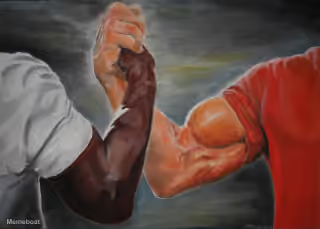
You know the Epic Handshake meme — two arms clasping to show unlikely groups united over one shared, oddly specific opinion. This version cranks it up to four arms, because sometimes it takes more than two tribes to agree on something this dumb.
Popular Epic Handshake 4 Arms caption ideas
Gen Z, Millennials, Gen X, Boomers · Agreeing pineapple belongs on pizza
Marketing, Sales, Engineering, HR · United: this meeting could've been an email
Book fans, movie fans, show fans, comic fans · All agreeing the reboot ruined everything
Templates similar to Epic Handshake 4 Arms
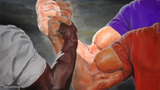
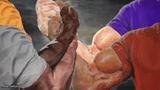
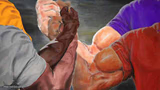
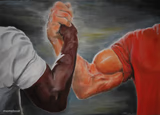

Epic Handshake 4 Arms meme FAQ
How do I make a Epic Handshake 4 Arms meme?
Scroll up to the Epic Handshake 4 Arms template, type your caption into the 2 text boxes in the editor above, adjust the font, size and color if you like, then click download. Your finished Epic Handshake 4 Arms meme is ready to share in seconds.
Can I use the Epic Handshake 4 Arms template for free?
Yes. The Epic Handshake 4 Arms template is completely free to use — no signup and no limits on how many memes you create or where you share them.
How do I download my Epic Handshake 4 Arms meme?
Click the download button under the editor once your Epic Handshake 4 Arms meme looks right. It saves straight to your device as a high-quality PNG or JPEG image.
How do I download the blank Epic Handshake 4 Arms template?
Use the "Download blank template" button in the blank Epic Handshake 4 Arms template section above to save the original, un-captioned image — handy if you'd rather caption it in another app or keep a copy.