
Eating Meme Generator
Create Your Eating Meme

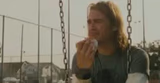
A guy caught mid-bite eating fast food at a desk, ideal for guilty snacking or 'caught in the act' captions. Free to caption and download.
Blank Eating meme template
Download the blank Eating template to caption it yourself, or add your text right here in the editor above and download the finished meme.
When to use the Eating meme
- Getting caught eating at your desk during a meeting
- Sneaking fries you said you'd give up
- Eating lunch way too fast because you're starving
- Trying to eat quietly so no one asks for a bite
Eating template facts
- Dimensions
- 944 × 1280 px
- Format
- PNG
- Text boxes
- 1
- Added
- 2025
About the Eating meme template
Snack break caught on camera. He's got the paper bag, the bottled water, the tattoo sleeve, and zero shame about eating at his desk in the middle of the workday.
This one's built for guilty-pleasure moments: sneaking a snack you shouldn't, getting caught doing something you said you'd stop doing, or just the universal experience of eating in a place you're not supposed to.
Popular Eating caption ideas
When you said you were done with fast food
Me eating lunch in 90 seconds because the meeting starts now
When someone walks in and you have to hide the evidence





Eating meme FAQ
How do I make a Eating meme?
Scroll up to the Eating template, type your caption into the text box in the editor above, adjust the font, size and color if you like, then click download. Your finished Eating meme is ready to share in seconds.
Can I use the Eating template for free?
Yes. The Eating template is completely free to use — no signup and no limits on how many memes you create or where you share them.
How do I download my Eating meme?
Click the download button under the editor once your Eating meme looks right. It saves straight to your device as a high-quality PNG or JPEG image.
How do I download the blank Eating template?
Use the "Download blank template" button in the blank Eating template section above to save the original, un-captioned image — handy if you'd rather caption it in another app or keep a copy.