
E Meme Generator
Create Your E Meme
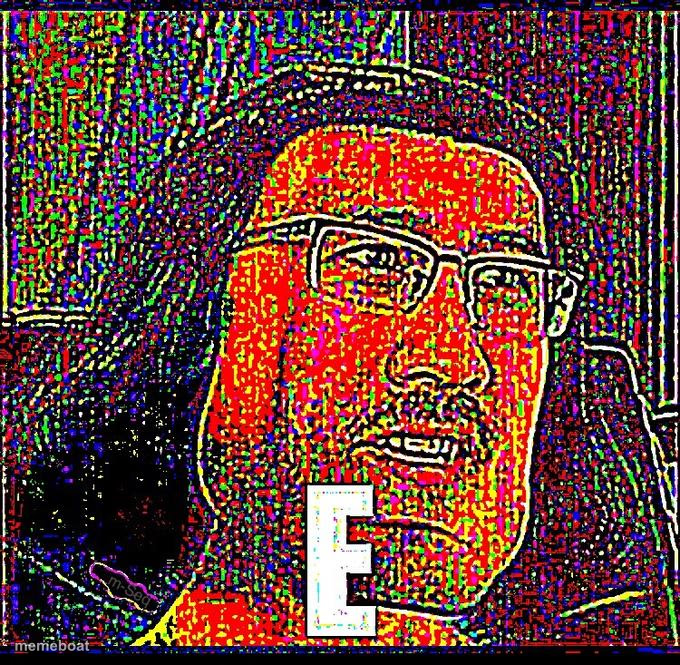
Make hilarious E memes instantly with our free generator. Create viral content in seconds and share now—no signup required!
Blank E meme template
Download the blank E template to caption it yourself, or add your text right here in the editor above and download the finished meme.
E template facts
- Dimensions
- 680 × 665 px
- Format
- JPG
- Text boxes
- 3
- Added
- 2025
About the E meme template
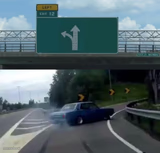
The "E" meme template originated from a viral internet moment featuring a car drifting sharply off a highway, capturing the chaotic energy of unexpected turns. This meme quickly gained traction across social media platforms in the early 2020s, becoming a staple in meme culture for illustrating sudden, sharp changes or surprising reactions. Rooted deeply in internet culture, the "E" meme is a viral phenomenon that resonates with audiences who appreciate humor tied to relatable, real-life scenarios and dramatic moments.
Knowing how to use the "E" meme template effectively can elevate your social media content and boost engagement. Perfect for illustrating sharp turns in conversations, unexpected decisions, or humorous reactions to sudden events, this meme fits seamlessly into funny reactions and relatable moments. Whether you’re wondering how to make an "E" meme or when to post it, this template is ideal for adding comedic flair to your posts on Instagram, Twitter, Facebook, or TikTok. It’s a versatile tool for anyone looking to create memorable and shareable social media content that taps into current online trends.
The popularity of the "E" meme template endures because it’s easy to create, customize, and personalize with your own captions using our online meme maker. No design skills are needed to generate instant, viral memes that capture attention and encourage sharing. With our free and quick generator, you can build funny, trending memes that engage millions across social media. Start creating your own "E" meme now and join the viral meme culture with content that’s guaranteed to entertain and spread rapidly across platforms.
Templates similar to E
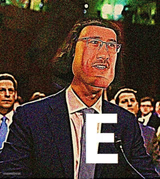

E meme FAQ
How do I make a E meme?
Scroll up to the E template, type your caption into the 3 text boxes in the editor above, adjust the font, size and color if you like, then click download. Your finished E meme is ready to share in seconds.
Can I use the E template for free?
Yes. The E template is completely free to use — no signup and no limits on how many memes you create or where you share them.
How do I download my E meme?
Click the download button under the editor once your E meme looks right. It saves straight to your device as a high-quality PNG or JPEG image.
How do I download the blank E template?
Use the "Download blank template" button in the blank E template section above to save the original, un-captioned image — handy if you'd rather caption it in another app or keep a copy.