
Duolingo Owl Smirking Meme Generator
Create Your Duolingo Owl Smirking Meme
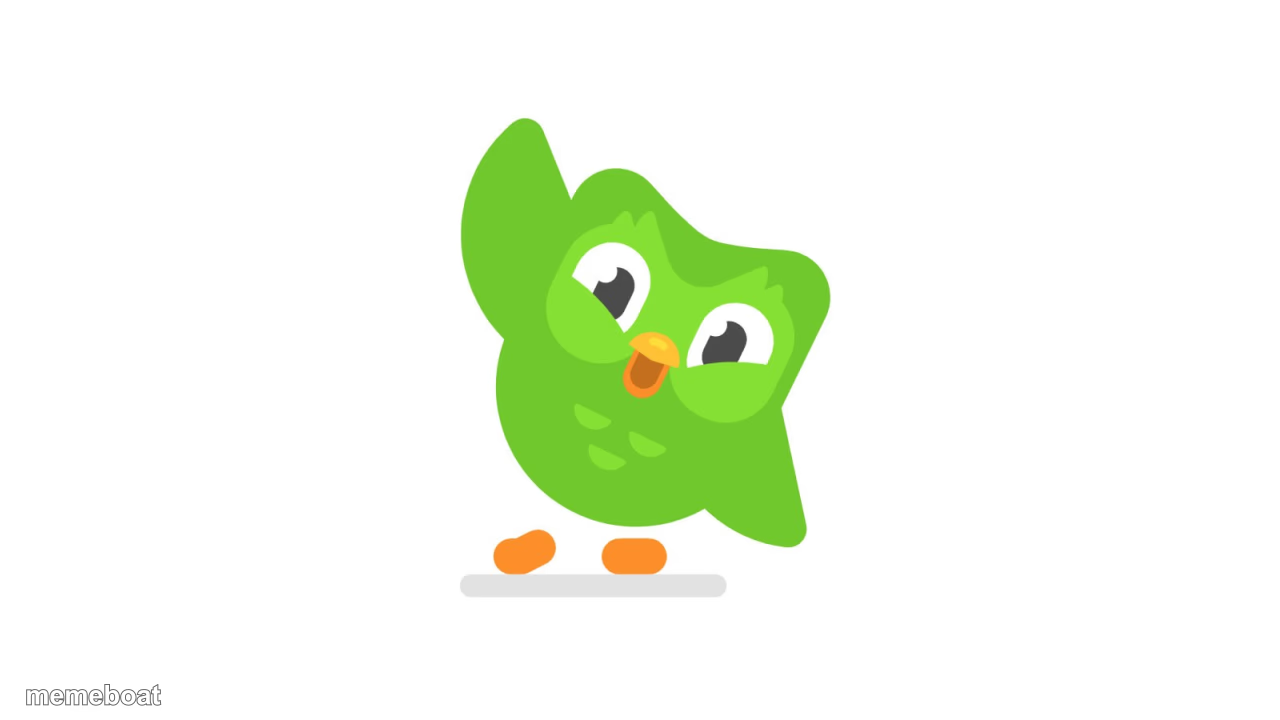
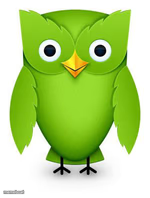
The green Duolingo owl leaning in with a knowing smirk. Perfect for guilt-trip jokes and menacing reminder gags. Caption this template and download free.
Blank Duolingo Owl Smirking meme template
Download the blank Duolingo Owl Smirking template to caption it yourself, or add your text right here in the editor above and download the finished meme.
When to use the Duolingo Owl Smirking meme
- menacing reminders
- guilt-tripping notifications
- knowing smirk after you skipped a lesson
Duolingo Owl Smirking template facts
- Dimensions
- 1280 × 720 px
- Format
- PNG
- Text boxes
- 2
- Added
- 2025
About the Duolingo Owl Smirking meme template
The Doulingo meme template originated from the popular language learning app Duolingo, known for its quirky and sometimes intimidating owl mascot. This meme gained traction around 2019 on platforms like Twitter and Reddit, becoming a viral phenomenon in internet culture. Its humorous portrayal of the owl’s persistent reminders to practice languages quickly turned into a staple for relatable, funny content. As a general meme type, the Doulingo meme taps into social media’s love for playful exaggeration and digital humor, making it a beloved template in meme culture.
Knowing how to use the Doulingo meme template effectively can elevate your social media content instantly. Perfect for expressing funny reactions to reminders, obligations, or nagging situations, this meme resonates with anyone who’s felt pressured to complete tasks. Whether you’re posting on Instagram, Twitter, Facebook, or TikTok, this template is ideal for relatable moments and comedic storytelling. To create the best impact, use it when you want to highlight persistent reminders or playful threats in a humorous way. Searching for how to make a Doulingo meme or when to post it? This template is your go-to for engaging, shareable content that sparks laughs and conversations.
The Doulingo meme remains popular because it’s easy to create, customize, and share with instant results. Our Doulingo meme generator lets you personalize text quickly without any design skills, making meme creation accessible to everyone. Its viral potential is huge, as funny and relatable memes tend to perform exceptionally well across all social media channels. By using our free online meme maker, you can generate your own Doulingo memes now and join millions who’ve already embraced this trending meme template. Don’t wait—create, share, and watch your content go viral today!
Popular Duolingo Owl Smirking caption ideas
When you skip your lesson · The owl knows
You have not practiced today · I will find you
One day off · The owl remembers everything
Templates similar to Duolingo Owl Smirking
Duolingo Owl Smirking meme FAQ
How do I make a Duolingo Owl Smirking meme?
Scroll up to the Duolingo Owl Smirking template, type your caption into the 2 text boxes in the editor above, adjust the font, size and color if you like, then click download. Your finished Duolingo Owl Smirking meme is ready to share in seconds.
Can I use the Duolingo Owl Smirking template for free?
Yes. The Duolingo Owl Smirking template is completely free to use — no signup and no limits on how many memes you create or where you share them.
How do I download my Duolingo Owl Smirking meme?
Click the download button under the editor once your Duolingo Owl Smirking meme looks right. It saves straight to your device as a high-quality PNG or JPEG image.
How do I download the blank Duolingo Owl Smirking template?
Use the "Download blank template" button in the blank Duolingo Owl Smirking template section above to save the original, un-captioned image — handy if you'd rather caption it in another app or keep a copy.