
Drive thru Meme Generator
Create Your Drive thru Meme

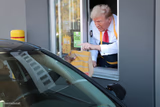
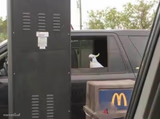
A hand reaching out of a car window toward a fast-food drive-thru menu board, mid-decision. Great for indecisive-ordering jokes. Caption it free.
Blank Drive thru meme template
Download the blank Drive thru template to caption it yourself, or add your text right here in the editor above and download the finished meme.
When to use the Drive thru meme
- Freezing up at the drive-thru even though you order the same thing every time
- Reaching for a decision you're clearly not ready to make
- Joking about holding up the whole line while you 'decide'
Drive thru template facts
- Dimensions
- 512 × 341 px
- Format
- JPG
- Text boxes
- 2
- Added
- 2026
About the Drive thru meme template
That agonizing moment of reaching toward a drive-thru menu board while your brain short-circuits between eleven combo options you've memorized a thousand times. The hand's out, the decision is not made.
Popular Drive thru caption ideas
I'LL HAVE A FATTY HAMBURGER WITH WILTED LETTUCE AND TASTELESS TOMATO, SOME GREASY FRIES AND A FLAT COKE · MA'AM WE CAN'T SERVE YOU A MEAL LIKE THAT · WHY NOT? YOU DID YESTERDAY.
me pretending i haven't already memorized my order · the menu i stare at anyway

Drive thru meme FAQ
How do I make a Drive thru meme?
Scroll up to the Drive thru template, type your caption into the 2 text boxes in the editor above, adjust the font, size and color if you like, then click download. Your finished Drive thru meme is ready to share in seconds.
Can I use the Drive thru template for free?
Yes. The Drive thru template is completely free to use — no signup and no limits on how many memes you create or where you share them.
How do I download my Drive thru meme?
Click the download button under the editor once your Drive thru meme looks right. It saves straight to your device as a high-quality PNG or JPEG image.
How do I download the blank Drive thru template?
Use the "Download blank template" button in the blank Drive thru template section above to save the original, un-captioned image — handy if you'd rather caption it in another app or keep a copy.