
Lays Chips Bag Meme Generator
Create Your Lays Chips Bag Meme
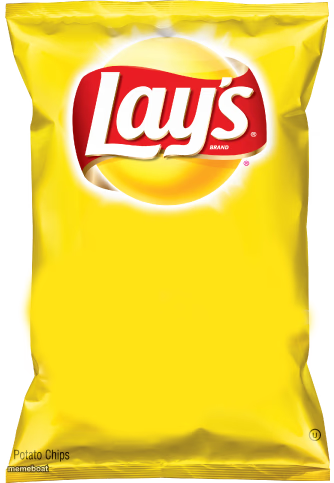
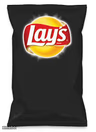
A blank yellow Lay's chips bag, ready for your own snack-related punchline. Add text and download free — no sign-up needed.
Blank Lays Chips Bag meme template
Download the blank Lays Chips Bag template to caption it yourself, or add your text right here in the editor above and download the finished meme.
When to use the Lays Chips Bag meme
- Confessing you ate the whole 'family size' bag alone
- Comparing a bad habit to chips: you can't just have one
- Diet starting Monday, but the bag says otherwise
Lays Chips Bag template facts
- Featuring
- Lay's Potato Chips (Lay's / Frito-Lay)
- Dimensions
- 334 × 483 px
- Format
- PNG
- Added
- 2025
About the Lays Chips Bag meme template
It's just a bag of Lay's, sitting there, fully blank, absolutely begging for a caption. There's something about a big empty yellow chip bag that makes it the perfect stand-in for anything you can't put down, anything that disappears too fast, or anything that's 'just one' and then suddenly gone.
Great for snack addiction jokes, diet fails, family-size-bag-eaten-solo confessions, or comparing literally anything to junk food you can't stop eating.
Templates similar to Lays Chips Bag

Lays Chips Bag meme FAQ
How do I make a Lays Chips Bag meme?
Scroll up to the Lays Chips Bag template, add your own text boxes in the editor above and type your captions, adjust the font, size and color if you like, then click download. Your finished Lays Chips Bag meme is ready to share in seconds.
Can I use the Lays Chips Bag template for free?
Yes. The Lays Chips Bag template is completely free to use — no signup and no limits on how many memes you create or where you share them.
How do I download my Lays Chips Bag meme?
Click the download button under the editor once your Lays Chips Bag meme looks right. It saves straight to your device as a high-quality PNG or JPEG image.
How do I download the blank Lays Chips Bag template?
Use the "Download blank template" button in the blank Lays Chips Bag template section above to save the original, un-captioned image — handy if you'd rather caption it in another app or keep a copy.