
Diddy Stare Meme Generator
Create Your Diddy Stare Meme
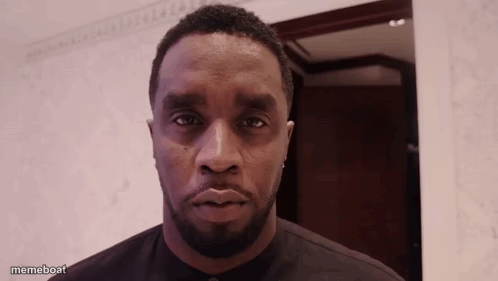
Diddy giving a dead-serious, unblinking stare straight down the lens. Perfect for calling out shady behavior or dropping an awkward truth. Caption and download free.
Blank Diddy Stare meme template
Download the blank Diddy Stare template to caption it yourself, or add your text right here in the editor above and download the finished meme.
When to use the Diddy Stare meme
- When someone's alibi has way too many holes in it
- Reacting to a friend's terrible life decision with zero words
- The look you give when the group chat gets suspicious
- Staring down someone who clearly just lied to your face
Diddy Stare template facts
- Featuring
- Sean Combs (viral video/photo)
- Dimensions
- 498 × 281 px
- Format
- PNG
- Added
- 2025
About the Diddy Stare meme template
That flat, unreadable stare that says 'I know exactly what you did' without a single word. No smile, no anger, just pure judgment aimed directly at the camera — the kind of look that makes you immediately start explaining yourself even though nobody asked.
Use it for calling out suspicious behavior, reacting to a wild plot twist, or just when someone says something so unhinged that words fail and only a stare will do.
Templates similar to Diddy Stare

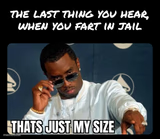
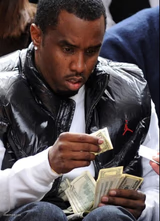
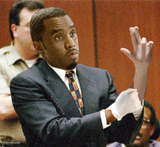

Diddy Stare meme FAQ
How do I make a Diddy Stare meme?
Scroll up to the Diddy Stare template, add your own text boxes in the editor above and type your captions, adjust the font, size and color if you like, then click download. Your finished Diddy Stare meme is ready to share in seconds.
Can I use the Diddy Stare template for free?
Yes. The Diddy Stare template is completely free to use — no signup and no limits on how many memes you create or where you share them.
How do I download my Diddy Stare meme?
Click the download button under the editor once your Diddy Stare meme looks right. It saves straight to your device as a high-quality PNG or JPEG image.
How do I download the blank Diddy Stare template?
Use the "Download blank template" button in the blank Diddy Stare template section above to save the original, un-captioned image — handy if you'd rather caption it in another app or keep a copy.