
di caprio Meme Generator
Create Your di caprio Meme
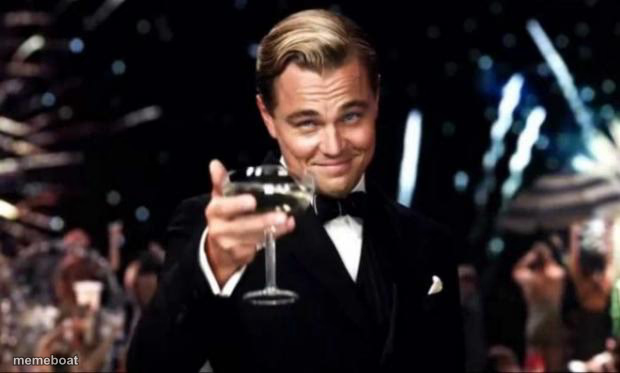
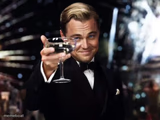
Leonardo DiCaprio raising a glass as Gatsby, fireworks behind him — the go-to template for sarcastic toasts and 'congrats to me' moments. Free to caption.
Blank di caprio meme template
Download the blank di caprio template to caption it yourself, or add your text right here in the editor above and download the finished meme.
When to use the di caprio meme
- Sarcastically toasting your own bad decision
- Celebrating a tiny personal win like it's a huge deal
- Raising a glass to something that's clearly falling apart
di caprio template facts
- Featuring
- Jay Gatsby (The Great Gatsby)
- Dimensions
- 620 × 373 px
- Format
- JPG
- Added
- 2025
About the di caprio meme template
Gatsby himself, champagne in hand, giving a toast that's somehow both genuine and dripping with sarcasm depending on how you caption it. Fireworks going off behind him because of course they are — the man doesn't do subtlety.
This is the internet's favorite way to say 'cheers to me' when something good happens, or 'cheers, I guess' when something happens that you're clearly not thrilled about but pretending to be.
Popular di caprio caption ideas
1 UPVOTE- 1 DEAD UPVOTE BEGGAR · (GUESS I'LL DIE)
Templates similar to di caprio

di caprio meme FAQ
How do I make a di caprio meme?
Scroll up to the di caprio template, add your own text boxes in the editor above and type your captions, adjust the font, size and color if you like, then click download. Your finished di caprio meme is ready to share in seconds.
Can I use the di caprio template for free?
Yes. The di caprio template is completely free to use — no signup and no limits on how many memes you create or where you share them.
How do I download my di caprio meme?
Click the download button under the editor once your di caprio meme looks right. It saves straight to your device as a high-quality PNG or JPEG image.
How do I download the blank di caprio template?
Use the "Download blank template" button in the blank di caprio template section above to save the original, un-captioned image — handy if you'd rather caption it in another app or keep a copy.