
Dammit Jim Meme Generator
Create Your Dammit Jim Meme
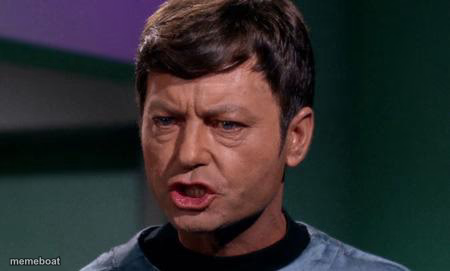
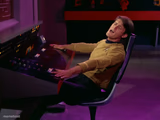
Dr. McCoy's classic exasperated 'Dammit Jim' face from Star Trek — the go-to reaction for being asked to do something outside your job. Caption free.
Blank Dammit Jim meme template
Download the blank Dammit Jim template to caption it yourself, or add your text right here in the editor above and download the finished meme.
When to use the Dammit Jim meme
- Getting asked to fix the printer because you're 'good with computers'
- When your job title says one thing but your tasks say another
- Reacting to a coworker's completely unreasonable request
Dammit Jim template facts
- Featuring
- Dr. Leonard McCoy (Star Trek: The Original Series)
- Dimensions
- 450 × 271 px
- Format
- JPG
- Text boxes
- 1
- Added
- 2025
About the Dammit Jim meme template
Bones McCoy has had it. This is the face of a man who signed up to be a doctor, not a miracle worker, an engineer, or whatever ridiculous thing Kirk just asked of him. It's peak exasperated professional energy.
Popular Dammit Jim caption ideas
Dammit Jim, I'm a doctor, not an IT department
Me when HR asks me to plan the office party too
I'm a chef, not a magician, this order can't be ready in 5 minutes



Dammit Jim meme FAQ
How do I make a Dammit Jim meme?
Scroll up to the Dammit Jim template, type your caption into the text box in the editor above, adjust the font, size and color if you like, then click download. Your finished Dammit Jim meme is ready to share in seconds.
Can I use the Dammit Jim template for free?
Yes. The Dammit Jim template is completely free to use — no signup and no limits on how many memes you create or where you share them.
How do I download my Dammit Jim meme?
Click the download button under the editor once your Dammit Jim meme looks right. It saves straight to your device as a high-quality PNG or JPEG image.
How do I download the blank Dammit Jim template?
Use the "Download blank template" button in the blank Dammit Jim template section above to save the original, un-captioned image — handy if you'd rather caption it in another app or keep a copy.