
CT happy then screams (remastered) Meme Generator
Create Your CT happy then screams (remastered) Meme

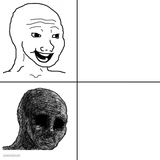
A cheerful hand-drawn cartoon face suddenly warps into a screaming deep-fried nightmare. Perfect for any 'fine, then it's not' moment. Caption free.
Blank CT happy then screams (remastered) meme template
Download the blank CT happy then screams (remastered) template to caption it yourself, or add your text right here in the editor above and download the finished meme.
When to use the CT happy then screams (remastered) meme
- Me before I read the group chat vs me after
- The code before deployment vs the code in production
- How I feel Friday at 5pm vs Monday at 9am
- Your plan for a chill weekend vs what actually happened
CT happy then screams (remastered) template facts
- Dimensions
- 1000 × 442 px
- Format
- PNG
- Text boxes
- 2
- Added
- 2026
About the CT happy then screams (remastered) meme template
It starts innocent enough: a goofy, big-eyed doodle guy grinning like nothing's wrong. Then panel two hits and everything melts into a screaming, deep-fried fever dream of teeth and static. That's the whole joke, and it's a good one.
This is the two-panel 'everything was fine and then it very much wasn't' format, built for describing that exact moment things go sideways: a calm meeting that turns into chaos, a 'quick fix' that breaks prod, or your mood before vs after checking your bank account. Drop your own before/after text on it and caption free.
Popular CT happy then screams (remastered) caption ideas
*SCREAMS SO LOUD THAT YOUR EARDRUMS EXPLODE* · I LOVE MAKING MEMES IN IMGFLIP! IT MEANS EVERYTHING TO ME! I LOVE BRAINSTORMING IDEAS FOR MEMES, CREATE THEM AND SHARE THEM WITH THE WORLD! I LOVE BEING IN IMGFLIP SO MUCH THAT I WANT TO SCREAM!
Me before checking my bank app · Me after checking my bank app
The meeting agenda · The meeting
My code before I pushed to main · My code five minutes after
Templates similar to CT happy then screams (remastered)



CT happy then screams (remastered) meme FAQ
How do I make a CT happy then screams (remastered) meme?
Scroll up to the CT happy then screams (remastered) template, type your caption into the 2 text boxes in the editor above, adjust the font, size and color if you like, then click download. Your finished CT happy then screams (remastered) meme is ready to share in seconds.
Can I use the CT happy then screams (remastered) template for free?
Yes. The CT happy then screams (remastered) template is completely free to use — no signup and no limits on how many memes you create or where you share them.
How do I download my CT happy then screams (remastered) meme?
Click the download button under the editor once your CT happy then screams (remastered) meme looks right. It saves straight to your device as a high-quality PNG or JPEG image.
How do I download the blank CT happy then screams (remastered) template?
Use the "Download blank template" button in the blank CT happy then screams (remastered) template section above to save the original, un-captioned image — handy if you'd rather caption it in another app or keep a copy.