
crazy thoughts Meme Generator
Create Your crazy thoughts Meme
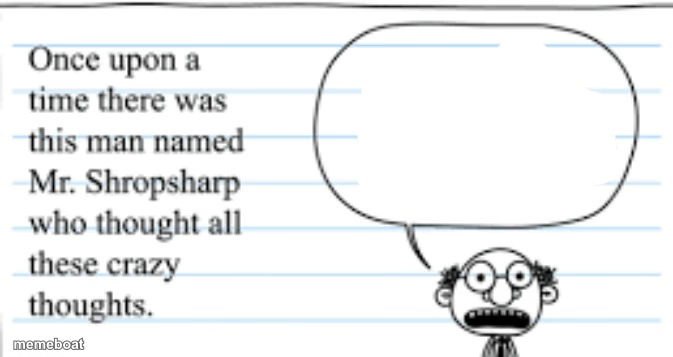
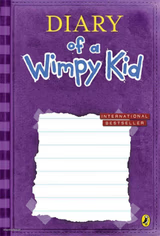
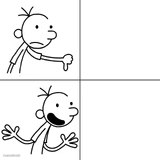
Notebook doodle of Mr. Shropsharp with an empty thought bubble for wild ideas. Add your own crazy thought and caption + download free.
Blank crazy thoughts meme template
Download the blank crazy thoughts template to caption it yourself, or add your text right here in the editor above and download the finished meme.
When to use the crazy thoughts meme
- That one intrusive thought you had mid-meeting for no reason
- The conspiracy theory you refuse to say out loud but definitely believe
- A wildly specific hot take about pineapple on pizza
- The 2am thought that made you sit up in bed
crazy thoughts template facts
- Featuring
- Mr. Shropsharp (Notebook-paper doodle meme ("crazy thoughts" speech bubble format))
- Dimensions
- 673 × 357 px
- Format
- PNG
- Text boxes
- 2
- Added
- 2025
About the crazy thoughts meme template
Ripped straight from the margins of a school notebook, Mr. Shropsharp is the wide-eyed, wire-glasses doodle who exists purely to think the unthinkable. The intro text sets him up as a man with "all these crazy thoughts," and the big empty speech bubble is basically begging you to fill it with whatever unhinged idea just crossed your mind.
It works for any thought too chaotic, too random, or too honest to say out loud in real life. Drop your 3am brain worm, your worst take, or your most unnecessary confession into that bubble and let Mr. Shropsharp take the blame for you.



crazy thoughts meme FAQ
How do I make a crazy thoughts meme?
Scroll up to the crazy thoughts template, type your caption into the 2 text boxes in the editor above, adjust the font, size and color if you like, then click download. Your finished crazy thoughts meme is ready to share in seconds.
Can I use the crazy thoughts template for free?
Yes. The crazy thoughts template is completely free to use — no signup and no limits on how many memes you create or where you share them.
How do I download my crazy thoughts meme?
Click the download button under the editor once your crazy thoughts meme looks right. It saves straight to your device as a high-quality PNG or JPEG image.
How do I download the blank crazy thoughts template?
Use the "Download blank template" button in the blank crazy thoughts template section above to save the original, un-captioned image — handy if you'd rather caption it in another app or keep a copy.