
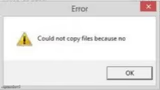
Could not copy files because no Meme Generator
Create Your Could not copy files because no Meme

Make hilarious Could Not Copy Files Because No memes instantly with our free generator. Create viral content in seconds—no signup required!
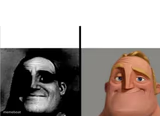
Blank Could not copy files because no meme template
Download the blank Could not copy files because no template to caption it yourself, or add your text right here in the editor above and download the finished meme.
Could not copy files because no template facts
- Dimensions
- 249 × 140 px
- Format
- PNG
- Added
- 2025
About the Could not copy files because no meme template
The "Could Not Copy Files Because No" meme template has quickly become a standout in internet culture, capturing the frustrations of everyday tech mishaps with humor and relatability. Originating from a viral screenshot of a cryptic error message, this meme gained traction on platforms like Reddit and Twitter around 2022, becoming a viral phenomenon that resonates with anyone who's faced baffling computer errors. As a general meme, it taps into the universal experience of technology failing us at the worst moments, making it a staple in meme culture and social media comedy.
Knowing how to use the "Could Not Copy Files Because No" meme template effectively can elevate your social media content and engage your audience with funny, relatable reactions. This meme is perfect for expressing confusion, frustration, or deadpan humor in response to unexpected problems. Whether you're posting on Instagram, Twitter, or TikTok, it works well in scenarios highlighting everyday tech struggles or ironic situations. If you’re wondering how to make this meme or when to post it, consider moments when your followers can relate to digital annoyances or need a quick laugh from a clever, succinct joke.
This meme template remains popular because it’s incredibly easy to create and customize, allowing users to generate personalized versions that fit their unique style or message. With our free online meme maker, you can instantly create and share your own "Could Not Copy Files Because No" memes without any design skills. Its viral potential is boosted by its simplicity and the universal appeal of tech humor, making it highly shareable across Facebook, Instagram, and Twitter. Start creating your meme now to join millions who use this trending template to build viral, funny content that entertains and connects.
Templates similar to Could not copy files because no



Could not copy files because no meme FAQ
How do I make a Could not copy files because no meme?
Scroll up to the Could not copy files because no template, add your own text boxes in the editor above and type your captions, adjust the font, size and color if you like, then click download. Your finished Could not copy files because no meme is ready to share in seconds.
Can I use the Could not copy files because no template for free?
Yes. The Could not copy files because no template is completely free to use — no signup and no limits on how many memes you create or where you share them.
How do I download my Could not copy files because no meme?
Click the download button under the editor once your Could not copy files because no meme looks right. It saves straight to your device as a high-quality PNG or JPEG image.
How do I download the blank Could not copy files because no template?
Use the "Download blank template" button in the blank Could not copy files because no template section above to save the original, un-captioned image — handy if you'd rather caption it in another app or keep a copy.