
Cool Hornet Meme Generator
Create Your Cool Hornet Meme

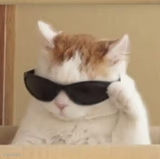
A stuffed rabbit in sunglasses props its feet up on the desk like it owns the place. Great for any "not my problem anymore" caption — free to make and download.
Blank Cool Hornet meme template
Download the blank Cool Hornet template to caption it yourself, or add your text right here in the editor above and download the finished meme.
When to use the Cool Hornet meme
- Logging off five minutes before a deadline that's now someone else's problem
- Watching chaos unfold after you already warned everyone
- Friday at 4:59pm energy
- Any "I did my part, good luck" caption
Cool Hornet template facts
- Dimensions
- 1024 × 914 px
- Format
- PNG
- Text boxes
- 1
- Added
- 2026
About the Cool Hornet meme template
This rabbit has clocked out. Sunglasses on, sneakers up on the desk, monitor glowing in the background — it's the pose of someone who has fully checked out of whatever's happening around them and does not care who notices.
Popular Cool Hornet caption ideas
HORNET WHEN SHE SEES LACE: · OH ITS SLEEPY TIME BUDDY
Me after sending the email and turning off notifications
When the deadline moves to Monday and it's currently Friday
Watching my coworkers scramble for a fire I warned them about
Templates similar to Cool Hornet



Cool Hornet meme FAQ
How do I make a Cool Hornet meme?
Scroll up to the Cool Hornet template, type your caption into the text box in the editor above, adjust the font, size and color if you like, then click download. Your finished Cool Hornet meme is ready to share in seconds.
Can I use the Cool Hornet template for free?
Yes. The Cool Hornet template is completely free to use — no signup and no limits on how many memes you create or where you share them.
How do I download my Cool Hornet meme?
Click the download button under the editor once your Cool Hornet meme looks right. It saves straight to your device as a high-quality PNG or JPEG image.
How do I download the blank Cool Hornet template?
Use the "Download blank template" button in the blank Cool Hornet template section above to save the original, un-captioned image — handy if you'd rather caption it in another app or keep a copy.