
Confucius Says Meme Generator
A classic painted portrait of Confucius, side-eyeing with quiet judgment — perfect for dropping fake ancient wisdom or petty one-liners. Caption and download free.
Create Your Confucius Says Meme
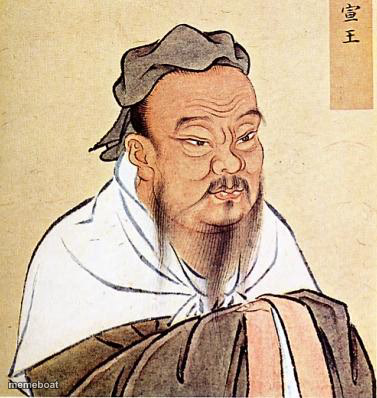
Blank Confucius Says meme template
Download the blank Confucius Says template to caption it yourself, or add your text right here in the editor above and download the finished meme.
When to use the Confucius Says meme
- Turning a petty complaint into fake ancient wisdom
- Roasting a friend with a faux-proverb
- Captioning obvious advice as if it's deeply profound
- Any 'Confucius say' joke format
Confucius Says template facts
- Featuring
- Confucius
- Dimensions
- 377 × 398 px
- Format
- JPG
- Added
- 2025
- Memes made
- 1
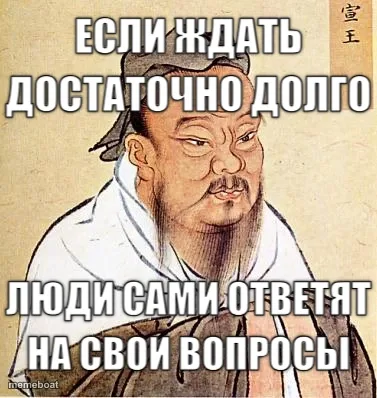
About the Confucius Says meme template
This traditional portrait has one job: to make whatever you write underneath sound like a 2,500-year-old proverb, even when it's absolutely not. The sideways glance is doing a lot of work here — equal parts wise and mildly done with everyone's nonsense.
Great for fake-deep quotes, roasting someone with faux-ancient wisdom, or turning a petty modern complaint into something that sounds profound just because a man in a robe said it.
Confucius Says meme FAQ
How do I make a Confucius Says meme?
Scroll up to the Confucius Says template, add your own text boxes in the editor above and type your captions, adjust the font, size and color if you like, then click download. Your finished Confucius Says meme is ready to share in seconds.
Can I use the Confucius Says template for free?
Yes. The Confucius Says template is completely free to use — no signup and no limits on how many memes you create or where you share them.
How do I download my Confucius Says meme?
Click the download button under the editor once your Confucius Says meme looks right. It saves straight to your device as a high-quality PNG or JPEG image.
How do I download the blank Confucius Says template?
Use the "Download blank template" button in the blank Confucius Says template section above to save the original, un-captioned image — handy if you'd rather caption it in another app or keep a copy.