
comparison table Meme Generator
Create Your comparison table Meme

Create comparison table memes contrasting two scenarios. Add your own text to highlight differences between past vs present, expectations vs reality, and more.
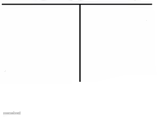
Blank comparison table meme template
Download the blank comparison table template to caption it yourself, or add your text right here in the editor above and download the finished meme.
comparison table template facts
- Dimensions
- 1018 × 740 px
- Format
- PNG
- Text boxes
- 2
- Added
- 2026
About the comparison table meme template
This format works by placing two contrasting scenarios side by side, letting the difference between them deliver the punchline. The setup goes in one section while the payoff lands in the comparison section.
The template shines when highlighting stark contrasts - like what money could buy in different eras, or comparing expectations against reality. Your captions work best when they showcase a clear, relatable difference that viewers will immediately recognize.
Keep each side concise and parallel in structure. If one side lists specific items, mirror that format on the other side for maximum impact.
Popular comparison table caption ideas
What a nickel gets you in 1926 · What a nickel gets you today



comparison table meme FAQ
How do I make a comparison table meme?
Scroll up to the comparison table template, type your caption into the 2 text boxes in the editor above, adjust the font, size and color if you like, then click download. Your finished comparison table meme is ready to share in seconds.
Can I use the comparison table template for free?
Yes. The comparison table template is completely free to use — no signup and no limits on how many memes you create or where you share them.
How do I download my comparison table meme?
Click the download button under the editor once your comparison table meme looks right. It saves straight to your device as a high-quality PNG or JPEG image.
How do I download the blank comparison table template?
Use the "Download blank template" button in the blank comparison table template section above to save the original, un-captioned image — handy if you'd rather caption it in another app or keep a copy.