
Thanos Smile Meme Generator
Create Your Thanos Smile Meme
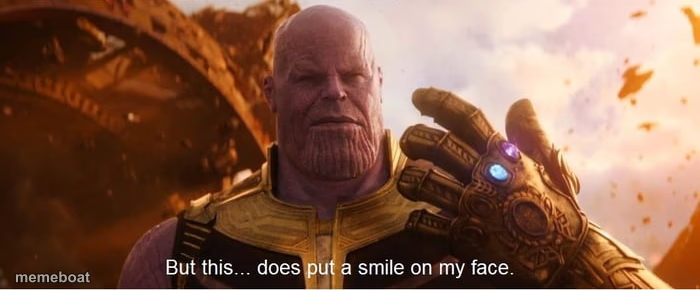
Thanos, mid-apocalypse, admitting destruction makes him happy — great for petty, chaotic-good satisfaction. Caption it and download free.
Blank Thanos Smile meme template
Download the blank Thanos Smile template to caption it yourself, or add your text right here in the editor above and download the finished meme.
When to use the Thanos Smile meme
- Watching your group chat implode over a petty argument
- Seeing your ex's business fail
- Your sibling getting caught by the parents for once
- Coworker who never does work getting called out in a meeting
Thanos Smile template facts
- Featuring
- Thanos (Avengers: Infinity War)
- Dimensions
- 700 × 290 px
- Format
- PNG
- Added
- 2025
About the Thanos Smile meme template
The universe is on fire, everything's exploding, and Thanos is just standing there like 'yeah, actually, this rules.' It's unhinged villain honesty and it's incredible.
Perfect for when something objectively bad happens but you can't help but grin — someone else's plan falling apart, chaos you didn't cause but definitely enjoy, or finally seeing karma land.
Popular Thanos Smile caption ideas
RANDOM PEOPLE: PUTTING UP CHRISTMAS DECOR IN NOVEMBER · THE WILD TURKEYS:
Templates similar to Thanos Smile

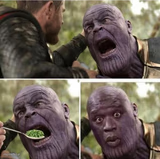
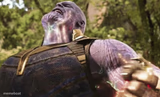
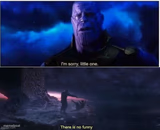
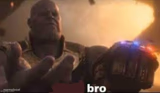
Thanos Smile meme FAQ
How do I make a Thanos Smile meme?
Scroll up to the Thanos Smile template, add your own text boxes in the editor above and type your captions, adjust the font, size and color if you like, then click download. Your finished Thanos Smile meme is ready to share in seconds.
Can I use the Thanos Smile template for free?
Yes. The Thanos Smile template is completely free to use — no signup and no limits on how many memes you create or where you share them.
How do I download my Thanos Smile meme?
Click the download button under the editor once your Thanos Smile meme looks right. It saves straight to your device as a high-quality PNG or JPEG image.
How do I download the blank Thanos Smile template?
Use the "Download blank template" button in the blank Thanos Smile template section above to save the original, un-captioned image — handy if you'd rather caption it in another app or keep a copy.