
But it refused Meme Generator
Create Your But it refused Meme

Create But it refused memes with custom text. Perfect for defiant comeback moments and resistance themes. Add your caption and download instantly.
Blank But it refused meme template
Download the blank But it refused template to caption it yourself, or add your text right here in the editor above and download the finished meme.
But it refused template facts
- Dimensions
- 1280 × 720 px
- Format
- JPG
- Added
- 2026
About the But it refused meme template
This format works as a two-part structure where you set up opposition or pressure in the top text, then deliver the defiant response below. The punchline relies on stubborn resistance against whatever force or expectation you've established.
Caption this template when you want to express determined refusal or unexpected persistence. It works well for scenarios where something or someone won't give up despite pressure, criticism, or logical reasons to quit.
For strongest impact, make your setup text specific about what's being resisted. The contrast between external pressure and internal determination drives the humor.
Popular But it refused caption ideas
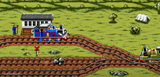
WHEN PEOPLE TELL ME THE GREAT MEME RESET WON’T WORK. ME:



But it refused meme FAQ
How do I make a But it refused meme?
Scroll up to the But it refused template, add your own text boxes in the editor above and type your captions, adjust the font, size and color if you like, then click download. Your finished But it refused meme is ready to share in seconds.
Can I use the But it refused template for free?
Yes. The But it refused template is completely free to use — no signup and no limits on how many memes you create or where you share them.
How do I download my But it refused meme?
Click the download button under the editor once your But it refused meme looks right. It saves straight to your device as a high-quality PNG or JPEG image.
How do I download the blank But it refused template?
Use the "Download blank template" button in the blank But it refused template section above to save the original, un-captioned image — handy if you'd rather caption it in another app or keep a copy.