
Broly Meme Generator
Create Your Broly Meme

Broly's unhinged snarling face, the ultimate rage-unlocked meme. Use it for someone finally snapping after way too much provocation — free to caption.
Blank Broly meme template
Download the blank Broly template to caption it yourself, or add your text right here in the editor above and download the finished meme.
When to use the Broly meme
- Someone finally loses it after the tenth Slack notification of the day
- A gamer rage-quitting after one cheap death too many
- Reacting to someone touching your last slice of pizza
- Going full power mode over something trivial
Broly template facts
- Featuring
- Broly (Dragon Ball Super: Broly)
- Dimensions
- 1280 × 720 px
- Format
- JPG
- Text boxes
- 1
- Added
- 2026
About the Broly meme template
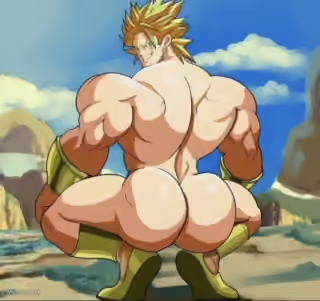
This is the face of a man who has officially had enough. Broly's green hair, gritted teeth, and murder eyes make him the go-to visual for maximum overdrive fury — the moment restraint completely leaves the chat.
Popular Broly caption ideas
THIS VALENTINES DAY I WILL BE ATTACKING COUPLES ON THE STREET · AND THROWING THEM INTO THE SUN
Me when someone touches the thermostat
When the WiFi buffers during the final boss fight
Me after one more 'per my last email'
Templates similar to Broly


Broly meme FAQ
How do I make a Broly meme?
Scroll up to the Broly template, type your caption into the text box in the editor above, adjust the font, size and color if you like, then click download. Your finished Broly meme is ready to share in seconds.
Can I use the Broly template for free?
Yes. The Broly template is completely free to use — no signup and no limits on how many memes you create or where you share them.
How do I download my Broly meme?
Click the download button under the editor once your Broly meme looks right. It saves straight to your device as a high-quality PNG or JPEG image.
How do I download the blank Broly template?
Use the "Download blank template" button in the blank Broly template section above to save the original, un-captioned image — handy if you'd rather caption it in another app or keep a copy.