
brave witch Meme Generator
Create Your brave witch Meme
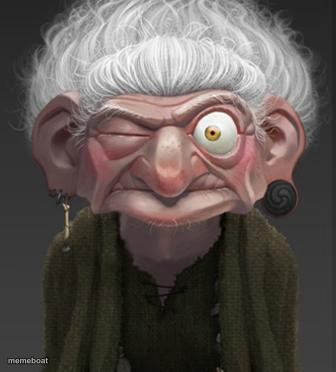
A wide-eyed old witch winks with one giant eyeball popping out, perfect for shock, suspicion, or side-eye reaction memes. Caption free.
Blank brave witch meme template
Download the blank brave witch template to caption it yourself, or add your text right here in the editor above and download the finished meme.
When to use the brave witch meme
- When you catch your coworker taking credit for your idea
- Reacting to an obviously fake excuse
- That one relative who knows all the gossip
brave witch template facts
- Dimensions
- 336 × 372 px
- Format
- JPG
- Text boxes
- 2
- Added
- 2025
About the brave witch meme template
One eye winks shut, the other bulges out like it's about to fall on the floor. This gnarly old witch with spiral earrings and a knowing smirk is the face you make when you catch someone lying, or when you've just seen something you can't unsee.
Use her for side-eye reactions, nosy-neighbor energy, or any moment that calls for one raised eyebrow and zero trust. She's not buying your excuse, and honestly neither should you.
Popular brave witch caption ideas
ME PRETENDING · I DIDN'T HEAR THE TEA
WHEN HE SAYS · I WASN'T EVEN THAT DRUNK
MY FACE WHEN · SOMEONE LIES TO MY FACE

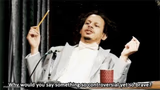
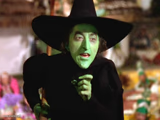
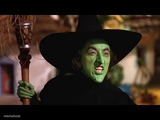
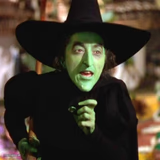
brave witch meme FAQ
How do I make a brave witch meme?
Scroll up to the brave witch template, type your caption into the 2 text boxes in the editor above, adjust the font, size and color if you like, then click download. Your finished brave witch meme is ready to share in seconds.
Can I use the brave witch template for free?
Yes. The brave witch template is completely free to use — no signup and no limits on how many memes you create or where you share them.
How do I download my brave witch meme?
Click the download button under the editor once your brave witch meme looks right. It saves straight to your device as a high-quality PNG or JPEG image.
How do I download the blank brave witch template?
Use the "Download blank template" button in the blank brave witch template section above to save the original, un-captioned image — handy if you'd rather caption it in another app or keep a copy.