
Brainlet Big Brain Drain Meme Generator
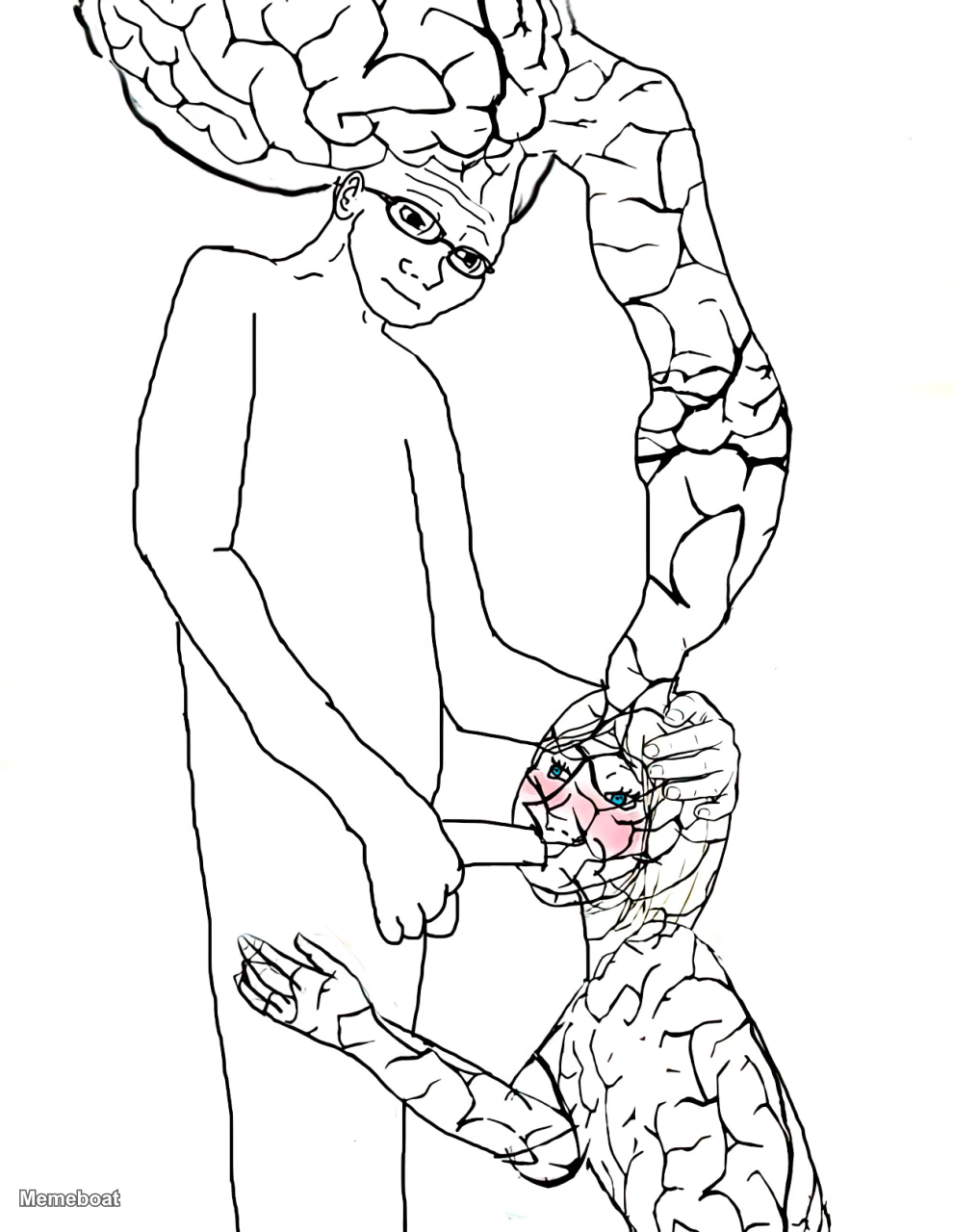
A drawing depicting two stylized human figures. One figure, characterized by a significantly enlarged, exposed brain and eyeglasses, stands upright.
Create Your Brainlet Big Brain Drain Meme
This template is adult-rated — you can download your meme, but it can't be published to a public link.
Blank Brainlet Big Brain Drain meme template
Download the blank Brainlet Big Brain Drain template to caption it yourself, or add your text right here in the editor above and download the finished meme.
Brainlet Big Brain Drain template facts
- Dimensions
- 990 × 1280 px
- Format
- WEBP
- Text boxes
- 2
- Added
- 2026
About the Brainlet Big Brain Drain meme template
A drawing depicting two stylized human figures. One figure, characterized by a significantly enlarged, exposed brain and eyeglasses, stands upright. The second figure, with a smaller, cracked brain and blushing cheeks, kneels, appearing to orally extract brain matter from the standing figure's crotch area. This meme visually represents a satirical transfer of intelligence or ideas, often with explicit sexual undertones.
Templates similar to Brainlet Big Brain Drain


Brainlet Big Brain Drain meme FAQ
How do I make a Brainlet Big Brain Drain meme?
Scroll up to the Brainlet Big Brain Drain template, type your caption into the 2 text boxes in the editor above, adjust the font, size and color if you like, then click download. Your finished Brainlet Big Brain Drain meme is ready to share in seconds.
Can I use the Brainlet Big Brain Drain template for free?
Yes. The Brainlet Big Brain Drain template is completely free to use — no signup and no limits on how many memes you create or where you share them.
How do I download my Brainlet Big Brain Drain meme?
Click the download button under the editor once your Brainlet Big Brain Drain meme looks right. It saves straight to your device as a high-quality PNG or JPEG image.
How do I download the blank Brainlet Big Brain Drain template?
Use the "Download blank template" button in the blank Brainlet Big Brain Drain template section above to save the original, un-captioned image — handy if you'd rather caption it in another app or keep a copy.