
Bowl of Cheerios Meme Generator
Create Your Bowl of Cheerios Meme
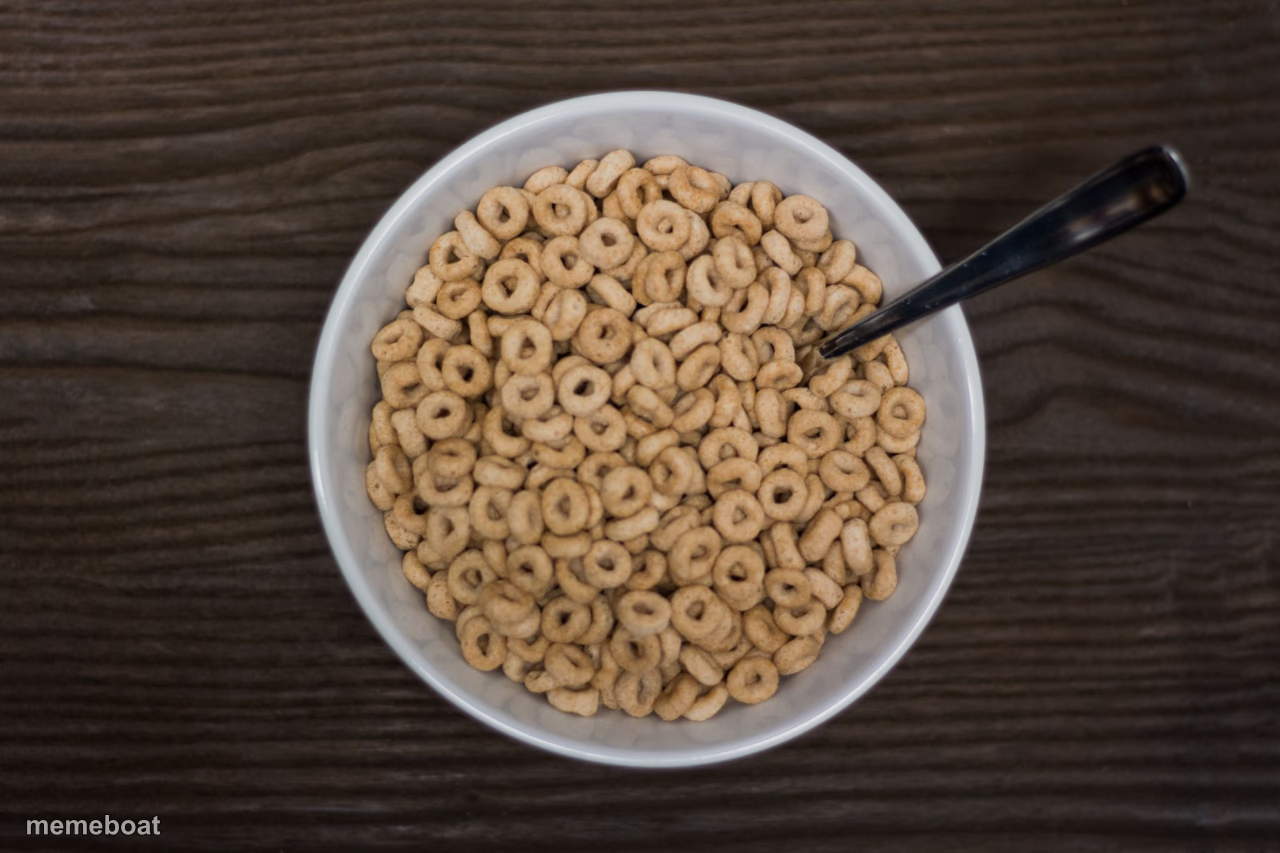
A plain overhead shot of a bowl of Cheerios with a spoon, ideal for jokes about mundane mornings or boring routines — caption and download it free.
Blank Bowl of Cheerios meme template
Download the blank Bowl of Cheerios template to caption it yourself, or add your text right here in the editor above and download the finished meme.
When to use the Bowl of Cheerios meme
- Describing the most boring possible breakfast as a big event
- Captioning the one meal you can actually cook
- Reacting to a wild night out with the most mundane Monday morning
Bowl of Cheerios template facts
- Dimensions
- 1280 × 853 px
- Format
- JPG
- Text boxes
- 2
- Added
- 2025
About the Bowl of Cheerios meme template
It's just a bowl of cereal. That's the whole joke — a top-down shot of Cheerios sitting in a bowl with a spoon parked in it, waiting for absolutely nothing exciting to happen. Peak "this is my life now" energy.
Popular Bowl of Cheerios caption ideas
CEREAL BEFORE MILK · UPVOTE IF THAT'S THE RIGHT WAY
MY THERAPIST SAID TO TREAT MYSELF · SO HERE I AM
ADULTHOOD IS JUST · STARING INTO A BOWL LIKE THIS
THE MOST EXCITING THING · THAT WILL HAPPEN TO ME TODAY
Templates similar to Bowl of Cheerios


Bowl of Cheerios meme FAQ
How do I make a Bowl of Cheerios meme?
Scroll up to the Bowl of Cheerios template, type your caption into the 2 text boxes in the editor above, adjust the font, size and color if you like, then click download. Your finished Bowl of Cheerios meme is ready to share in seconds.
Can I use the Bowl of Cheerios template for free?
Yes. The Bowl of Cheerios template is completely free to use — no signup and no limits on how many memes you create or where you share them.
How do I download my Bowl of Cheerios meme?
Click the download button under the editor once your Bowl of Cheerios meme looks right. It saves straight to your device as a high-quality PNG or JPEG image.
How do I download the blank Bowl of Cheerios template?
Use the "Download blank template" button in the blank Bowl of Cheerios template section above to save the original, un-captioned image — handy if you'd rather caption it in another app or keep a copy.