
Board Room Meeting 2 Meme Generator
Create Your Board Room Meeting 2 Meme

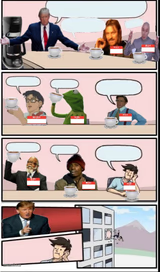
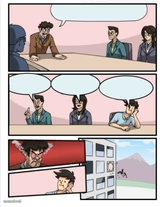
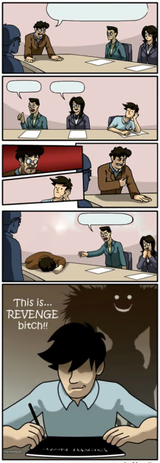
Classic 5-panel Boardroom Suggestion template: an idea gets shot down until the boss agrees, then the guy who suggested it gets fired anyway. Free to caption.
Blank Board Room Meeting 2 meme template
Download the blank Board Room Meeting 2 template to caption it yourself, or add your text right here in the editor above and download the finished meme.
When to use the Board Room Meeting 2 meme
- Someone pitches a great idea that gets stolen by management
- A plan gets rejected until the boss suggests the exact same thing
- Classic office politics where the little guy loses no matter what
Board Room Meeting 2 template facts
- Featuring
- Boardroom Suggestion (Boardroom Suggestion meme (stock photo comic))
- Dimensions
- 321 × 717 px
- Format
- JPG
- Added
- 2025
About the Board Room Meeting 2 meme template
The office suggestion meme where somebody pitches a genuinely good idea, gets ignored by everyone else in the room, then the boss suddenly loves it as their own — and the original guy ends up out of a job. Peak corporate irony in five panels.




Board Room Meeting 2 meme FAQ
How do I make a Board Room Meeting 2 meme?
Scroll up to the Board Room Meeting 2 template, add your own text boxes in the editor above and type your captions, adjust the font, size and color if you like, then click download. Your finished Board Room Meeting 2 meme is ready to share in seconds.
Can I use the Board Room Meeting 2 template for free?
Yes. The Board Room Meeting 2 template is completely free to use — no signup and no limits on how many memes you create or where you share them.
How do I download my Board Room Meeting 2 meme?
Click the download button under the editor once your Board Room Meeting 2 meme looks right. It saves straight to your device as a high-quality PNG or JPEG image.
How do I download the blank Board Room Meeting 2 template?
Use the "Download blank template" button in the blank Board Room Meeting 2 template section above to save the original, un-captioned image — handy if you'd rather caption it in another app or keep a copy.