
TF2 Scout Side Eye Meme Generator
Create Your TF2 Scout Side Eye Meme
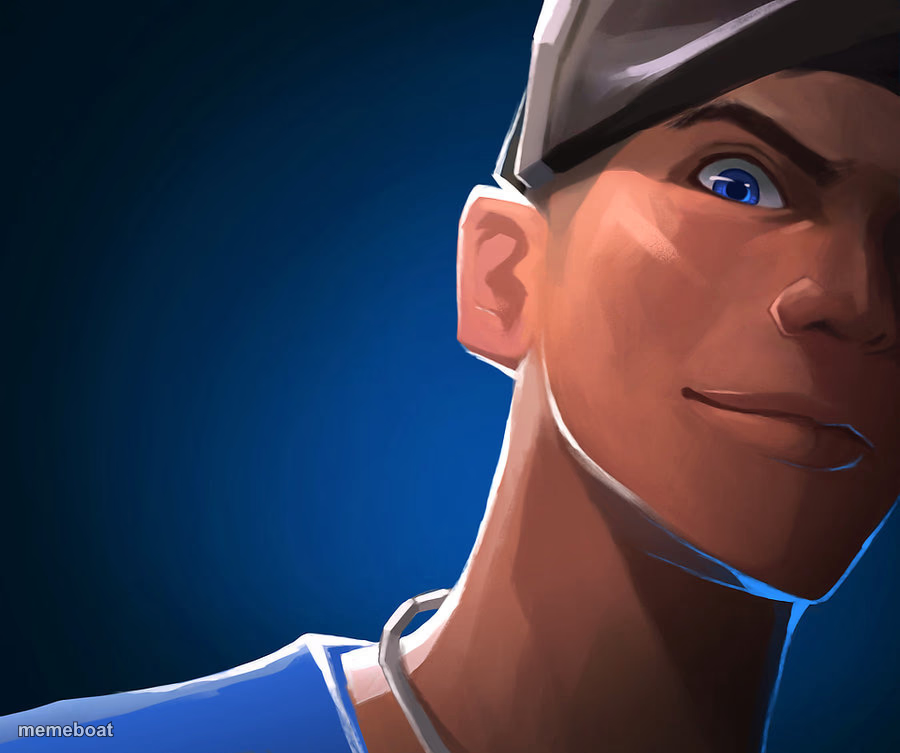
Scout from Team Fortress 2 giving a suspicious side-eye close-up — ideal for gamer skepticism and 'wait, what?' reactions. Caption and download free.
Blank TF2 Scout Side Eye meme template
Download the blank TF2 Scout Side Eye template to caption it yourself, or add your text right here in the editor above and download the finished meme.
When to use the TF2 Scout Side Eye meme
- Reacting to a teammate's terrible callout in a match
- Side-eyeing someone's obviously bad take
- That moment a friend says something unhinged in Discord
- Any 'wait, come again?' gaming reaction
TF2 Scout Side Eye template facts
- Featuring
- Scout (Team Fortress 2)
- Dimensions
- 900 × 753 px
- Format
- JPG
- Text boxes
- 1
- Added
- 2025
About the TF2 Scout Side Eye meme template
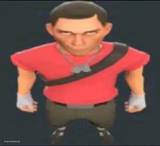
Scout's close-up here is pure 'did you really just say that to me' energy, blue team cap on, one eyebrow doing all the emotional work. Classic TF2 fan-art face that reads instantly as disbelief.
Perfect for gamer reaction memes, calling out someone's bad take, or any moment where you need maximum skepticism without saying a word. Works especially well in gaming and Discord-server contexts.
Popular TF2 Scout Side Eye caption ideas
WHEN THE ENGI SAYS HE'S 'ALMOST DONE' WITH THE SENTRY
ME HEARING SOMEONE SAY THEY MAIN SPY
WHEN YOUR TEAMMATE SAYS THEY'RE 'PRETTY GOOD' AT THIS GAME
Templates similar to TF2 Scout Side Eye



TF2 Scout Side Eye meme FAQ
How do I make a TF2 Scout Side Eye meme?
Scroll up to the TF2 Scout Side Eye template, type your caption into the text box in the editor above, adjust the font, size and color if you like, then click download. Your finished TF2 Scout Side Eye meme is ready to share in seconds.
Can I use the TF2 Scout Side Eye template for free?
Yes. The TF2 Scout Side Eye template is completely free to use — no signup and no limits on how many memes you create or where you share them.
How do I download my TF2 Scout Side Eye meme?
Click the download button under the editor once your TF2 Scout Side Eye meme looks right. It saves straight to your device as a high-quality PNG or JPEG image.
How do I download the blank TF2 Scout Side Eye template?
Use the "Download blank template" button in the blank TF2 Scout Side Eye template section above to save the original, un-captioned image — handy if you'd rather caption it in another app or keep a copy.