
Blizzard Meme Generator
Create Your Blizzard Meme

Create Blizzard memes with custom captions. Perfect for weather confusion jokes and can't-see-clearly situations. Add your text and download instantly.
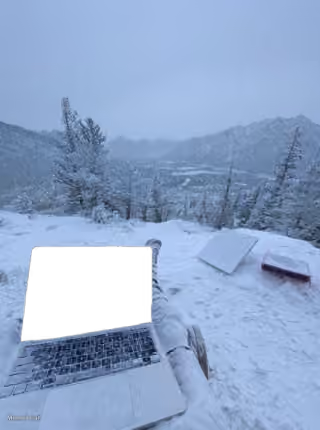
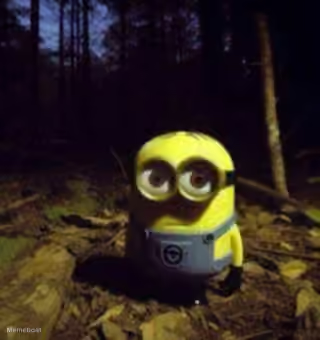
Blank Blizzard meme template
Download the blank Blizzard template to caption it yourself, or add your text right here in the editor above and download the finished meme.
Blizzard template facts
- Dimensions
- 400 × 300 px
- Format
- JPG
- Added
- 2026
About the Blizzard meme template
Weather creates perfect moments of confusion and uncertainty. This template captures those times when visibility is so poor that simple questions become impossible to answer definitively.
The format works well for dialogue-based jokes where one character asks about conditions while another struggles to provide a clear response. Your captions will land best when they play up the contrast between wanting information and being unable to see clearly enough to give it.
For strong results, set up your text as a conversation where poor visibility prevents a straightforward answer. The humor comes from that gap between the question asked and the honest but unhelpful response given.
Popular Blizzard caption ideas
Felix : Is there a blizzard ? Oscar : (Looking out the window) I can't tell , it's all white



Blizzard meme FAQ
How do I make a Blizzard meme?
Scroll up to the Blizzard template, add your own text boxes in the editor above and type your captions, adjust the font, size and color if you like, then click download. Your finished Blizzard meme is ready to share in seconds.
Can I use the Blizzard template for free?
Yes. The Blizzard template is completely free to use — no signup and no limits on how many memes you create or where you share them.
How do I download my Blizzard meme?
Click the download button under the editor once your Blizzard meme looks right. It saves straight to your device as a high-quality PNG or JPEG image.
How do I download the blank Blizzard template?
Use the "Download blank template" button in the blank Blizzard template section above to save the original, un-captioned image — handy if you'd rather caption it in another app or keep a copy.