
Bingo Yes/No Button Meme Generator
Create Your Bingo Yes/No Button Meme
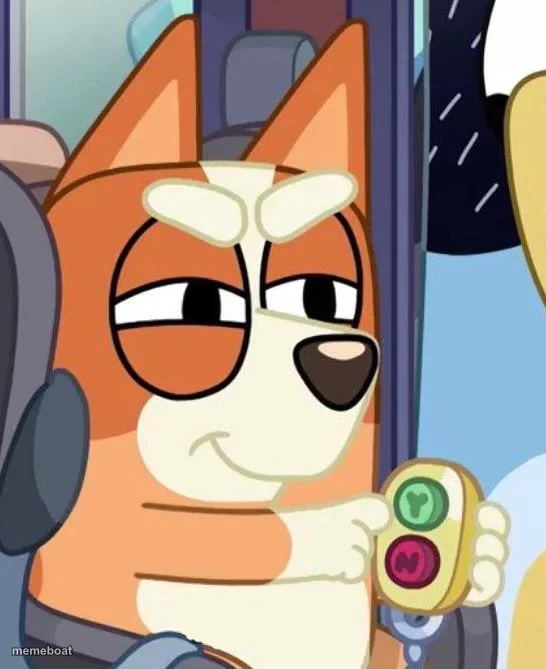
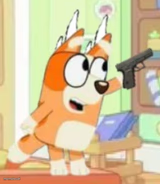
A smug tan puppy from Bluey side-eyeing while holding a green and red button. Perfect for judging a decision. Caption it and download free.
Blank Bingo Yes/No Button meme template
Download the blank Bingo Yes/No Button template to caption it yourself, or add your text right here in the editor above and download the finished meme.
When to use the Bingo Yes/No Button meme
- When you're deciding whether to reply to the group chat or leave them on read
- Holding the power to approve or deny someone's terrible idea
- That moment before you smash the 'yes' or 'no' button on a big decision
Bingo Yes/No Button template facts
- Dimensions
- 546 × 669 px
- Format
- PNG
- Text boxes
- 2
- Added
- 2025
About the Bingo Yes/No Button meme template
That smirk says it all. This tan heeler pup is giving you the most unimpressed side-eye while casually holding a two-button remote, one green, one red, like your fate is already decided and she's just enjoying the moment before she presses it.
Use it any time someone's about to make a call they're clearly going to regret, or when you're the one holding all the power and you know it. Slow blink, smug grin, decision pending.
Popular Bingo Yes/No Button caption ideas
ME, HOLDING THE POWER TO RUIN YOUR DAY · AND ENJOYING EVERY SECOND OF IT
THE BUTTON THAT DECIDES IF YOU GET A RAISE · I HAVEN'T PRESSED IT YET
WHEN THEY ASK "ARE WE STILL FRIENDS?" · LET ME THINK ABOUT THAT
Templates similar to Bingo Yes/No Button



Bingo Yes/No Button meme FAQ
How do I make a Bingo Yes/No Button meme?
Scroll up to the Bingo Yes/No Button template, type your caption into the 2 text boxes in the editor above, adjust the font, size and color if you like, then click download. Your finished Bingo Yes/No Button meme is ready to share in seconds.
Can I use the Bingo Yes/No Button template for free?
Yes. The Bingo Yes/No Button template is completely free to use — no signup and no limits on how many memes you create or where you share them.
How do I download my Bingo Yes/No Button meme?
Click the download button under the editor once your Bingo Yes/No Button meme looks right. It saves straight to your device as a high-quality PNG or JPEG image.
How do I download the blank Bingo Yes/No Button template?
Use the "Download blank template" button in the blank Bingo Yes/No Button template section above to save the original, un-captioned image — handy if you'd rather caption it in another app or keep a copy.