
big blank Meme Generator
Create Your big blank Meme
A totally blank white canvas template — build any meme layout from scratch with your own text boxes, no preset caption needed. Free to caption and download.
Blank big blank meme template
Download the blank big blank template to caption it yourself, or add your text right here in the editor above and download the finished meme.
When to use the big blank meme
- Building a fake 'stats' or 'chart' joke from scratch
- Making a mock screenshot or announcement graphic
- Any joke that needs a clean white background instead of a photo
big blank template facts
- Dimensions
- 237 × 705 px
- Format
- PNG
- Text boxes
- 2
- Added
- 2025
About the big blank meme template
Sometimes the best meme template is no template at all. This one's just a big empty white rectangle, waiting for whatever bit you're building — a fake screenshot, a chart with no data, a wall of text, an infographic parody, you name it.
It's the blank page of the meme world. Add your own boxes wherever you want them, caption it however you like, and walk away with a totally custom image in seconds.
Popular big blank caption ideas
THIS TEMPLATE · IS INTENTIONALLY LEFT BLANK
404 · JOKE NOT FOUND
ME TRYING TO THINK · OF A CAPTION FOR THIS
Templates similar to big blank
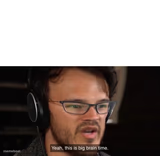

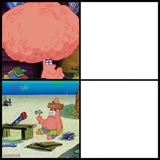


big blank meme FAQ
How do I make a big blank meme?
Scroll up to the big blank template, type your caption into the 2 text boxes in the editor above, adjust the font, size and color if you like, then click download. Your finished big blank meme is ready to share in seconds.
Can I use the big blank template for free?
Yes. The big blank template is completely free to use — no signup and no limits on how many memes you create or where you share them.
How do I download my big blank meme?
Click the download button under the editor once your big blank meme looks right. It saves straight to your device as a high-quality PNG or JPEG image.
How do I download the blank big blank template?
Use the "Download blank template" button in the blank big blank template section above to save the original, un-captioned image — handy if you'd rather caption it in another app or keep a copy.