
Bibbite Meme Generator
Create Your Bibbite Meme

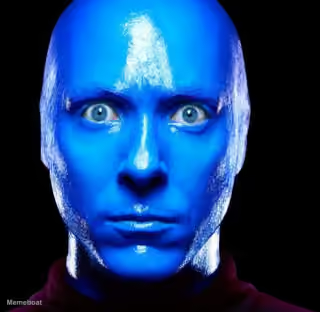
A goofy blue 3D alien with wiggly antennae baring a huge toothy grin. Perfect for awkward smiles or forced enthusiasm captions. Caption it free.
Blank Bibbite meme template
Download the blank Bibbite template to caption it yourself, or add your text right here in the editor above and download the finished meme.
When to use the Bibbite meme
- That forced smile when your boss says 'quick meeting' at 4:59pm
- When you say 'I'm fine' through gritted teeth
- The face you make agreeing to plans you already regret
Bibbite template facts
- Dimensions
- 480 × 360 px
- Format
- JPG
- Text boxes
- 2
- Added
- 2025
About the Bibbite meme template
This little blue guy has one job: grinning way too hard. With two wobbly antennae topped in white balls and a mouthful of oversized human teeth, he's the face of every moment where 'fine' definitely doesn't mean fine.
Use him for that stretched, nervous smile you give when everything is absolutely not okay, or for reacting to something so bizarre all you can do is bare your teeth and nod along. Caption it, download it free, no login required.
Popular Bibbite caption ideas
VRAK TV · 2 DE JANVIER
ME PRETENDING · THIS IS FINE
WHEN THEY SAY · 'WE NEED TO TALK'
MY SMILE WHEN · I HATE EVERYTHING RIGHT NOW
Templates similar to Bibbite
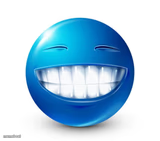
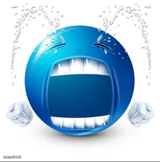



Bibbite meme FAQ
How do I make a Bibbite meme?
Scroll up to the Bibbite template, type your caption into the 2 text boxes in the editor above, adjust the font, size and color if you like, then click download. Your finished Bibbite meme is ready to share in seconds.
Can I use the Bibbite template for free?
Yes. The Bibbite template is completely free to use — no signup and no limits on how many memes you create or where you share them.
How do I download my Bibbite meme?
Click the download button under the editor once your Bibbite meme looks right. It saves straight to your device as a high-quality PNG or JPEG image.
How do I download the blank Bibbite template?
Use the "Download blank template" button in the blank Bibbite template section above to save the original, un-captioned image — handy if you'd rather caption it in another app or keep a copy.