
Bendy Meme Generator
Create Your Bendy Meme
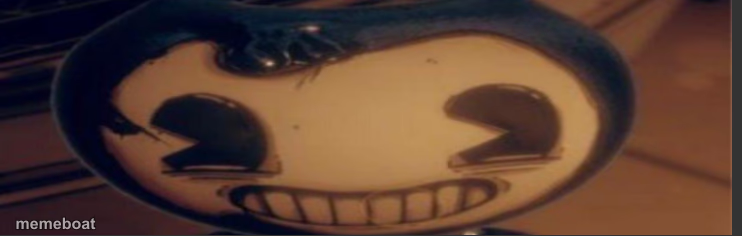
Bendy's grinning ink-black face fills the frame — perfect for horror-game jump scares or 'that unsettling smile' captions. Caption it free.
Blank Bendy meme template
Download the blank Bendy template to caption it yourself, or add your text right here in the editor above and download the finished meme.
When to use the Bendy meme
- That smile when someone asks if the code is tested
- Me pretending I'm not panicking
- When you say 'no notes' but you have 47 notes
- The face you make agreeing to 'one more meeting'
Bendy template facts
- Featuring
- Bendy (Bendy and the Ink Machine)
- Dimensions
- 742 × 236 px
- Format
- PNG
- Text boxes
- 2
- Added
- 2025
About the Bendy meme template
That toothy grin belongs to Bendy, the demonic ink cartoon star of Bendy and the Ink Machine, staring you down in extreme close-up like he just heard something you said out loud.
Use it whenever a smile is doing way too much work — forced positivity, 'everything's fine' energy, or the exact face you make when your plan is definitely going to backfire.
Popular Bendy caption ideas
Every upvote = 1 arrested zoophile · Ignore for zoophile rights
WHEN THE BOSS ASKS · "DO YOU HAVE TIME FOR ONE MORE TASK?"
ME AFTER SAYING · "I'M FINE"
THAT SMILE WHEN · YOU KNOW YOU MESSED UP
Templates similar to Bendy
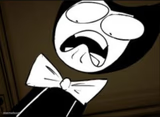


Bendy meme FAQ
How do I make a Bendy meme?
Scroll up to the Bendy template, type your caption into the 2 text boxes in the editor above, adjust the font, size and color if you like, then click download. Your finished Bendy meme is ready to share in seconds.
Can I use the Bendy template for free?
Yes. The Bendy template is completely free to use — no signup and no limits on how many memes you create or where you share them.
How do I download my Bendy meme?
Click the download button under the editor once your Bendy meme looks right. It saves straight to your device as a high-quality PNG or JPEG image.
How do I download the blank Bendy template?
Use the "Download blank template" button in the blank Bendy template section above to save the original, un-captioned image — handy if you'd rather caption it in another app or keep a copy.