
Beluga Meme Generator
Create Your Beluga Meme

The famous smiling Beluga cat close-up with huge round eyes — the internet's favorite wholesome-yet-unsettling reaction. Caption and download it free.
Blank Beluga meme template
Download the blank Beluga template to caption it yourself, or add your text right here in the editor above and download the finished meme.
When to use the Beluga meme
- Reacting with fake innocence after causing chaos
- The face you make right before delivering bad news calmly
- Wholesome good morning texts with an unsettling edge
- Smiling through gritted teeth in a group photo
Beluga template facts
- Featuring
- Beluga Cat (internet meme / Discord sticker)
- Dimensions
- 1024 × 1024 px
- Format
- PNG
- Text boxes
- 1
- Added
- 2025
About the Beluga meme template
You know this cat. Everyone knows this cat. Huge glossy eyes, a weirdly serene little smile, close enough to the camera that it feels like it's judging your entire life choices — this is peak internet-famous feline energy.
Use it for wholesome reactions that are secretly a little menacing, discord-sticker-tier chaos, or anytime you need a face that says 'I'm smiling but I know something you don't.'
Popular Beluga caption ideas
ME PRETENDING I DIDN'T EAT YOUR LEFTOVERS
WHEN YOU SAY SOMETHING UNHINGED BUT KEEP SMILING
MY FACE WHEN I SEND THE MESSAGE THEN LEAVE THEM ON READ
Templates similar to Beluga

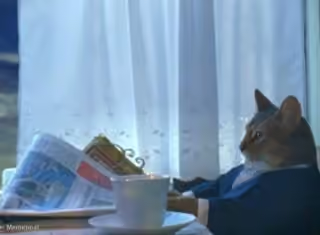


Beluga meme FAQ
How do I make a Beluga meme?
Scroll up to the Beluga template, type your caption into the text box in the editor above, adjust the font, size and color if you like, then click download. Your finished Beluga meme is ready to share in seconds.
Can I use the Beluga template for free?
Yes. The Beluga template is completely free to use — no signup and no limits on how many memes you create or where you share them.
How do I download my Beluga meme?
Click the download button under the editor once your Beluga meme looks right. It saves straight to your device as a high-quality PNG or JPEG image.
How do I download the blank Beluga template?
Use the "Download blank template" button in the blank Beluga template section above to save the original, un-captioned image — handy if you'd rather caption it in another app or keep a copy.