
Sliced Steak Closeup Meme Generator
Create Your Sliced Steak Closeup Meme

A juicy close-up of sliced grilled steak on a plate. Use it for food cravings, cheat days, or flexing your cooking skills. Caption and download it free.
Blank Sliced Steak Closeup meme template
Download the blank Sliced Steak Closeup template to caption it yourself, or add your text right here in the editor above and download the finished meme.
When to use the Sliced Steak Closeup meme
- Announcing you're breaking your diet tonight
- Bragging about a grilling win to friends
- Captioning the meal that made the whole week worth it
- The food pic that ends any healthy-eating streak
Sliced Steak Closeup template facts
- Dimensions
- 800 × 551 px
- Format
- JPG
- Added
- 2025
About the Sliced Steak Closeup meme template
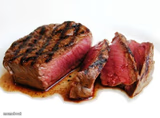
Perfectly sliced, seared steak glistening on a plate — the kind of photo that makes you hungry mid-scroll. It's not really a punchline template, it's a mood: pure meat-based satisfaction.
Great for cheat-day confessions, bragging about your grill skills, or captioning the exact moment willpower left the chat.
Templates similar to Sliced Steak Closeup
Sliced Steak Closeup meme FAQ
How do I make a Sliced Steak Closeup meme?
Scroll up to the Sliced Steak Closeup template, add your own text boxes in the editor above and type your captions, adjust the font, size and color if you like, then click download. Your finished Sliced Steak Closeup meme is ready to share in seconds.
Can I use the Sliced Steak Closeup template for free?
Yes. The Sliced Steak Closeup template is completely free to use — no signup and no limits on how many memes you create or where you share them.
How do I download my Sliced Steak Closeup meme?
Click the download button under the editor once your Sliced Steak Closeup meme looks right. It saves straight to your device as a high-quality PNG or JPEG image.
How do I download the blank Sliced Steak Closeup template?
Use the "Download blank template" button in the blank Sliced Steak Closeup template section above to save the original, un-captioned image — handy if you'd rather caption it in another app or keep a copy.