
Bean shrug Meme Generator
Create Your Bean shrug Meme

A cartoon fox-like furry character shrugging with both hands up, unbothered. Caption it and download the meme free.
Blank Bean shrug meme template
Download the blank Bean shrug template to caption it yourself, or add your text right here in the editor above and download the finished meme.
When to use the Bean shrug meme
- Denying responsibility for something you obviously did
- Responding to a question with total nonchalance
- The 'idk, not my problem' reaction to bad news
- When someone asks who ate the last slice
Bean shrug template facts
- Dimensions
- 622 × 621 px
- Format
- PNG
- Text boxes
- 2
- Added
- 2025
About the Bean shrug meme template
This little raccoon-fox hybrid character has perfected the art of the shrug — both hands up, big innocent eyes, zero accountability. It's giving "I have no idea what happened and also I don't care."
Perfect for dodging blame, responding to chaos you definitely caused, or just capturing that universal "idk, ¯\_(ツ)_/¯" energy in cartoon form.
Popular Bean shrug caption ideas
IF YOU UPVOTE THIS MEME · YOU HELP A SMALL USER GET ONE STEP CLOSER TO THE FRONT PAGE
Who broke it? · Not me, probably
Rent is due tomorrow · I have $4 and a dream
Do you have a plan? · I do not
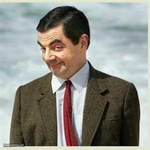
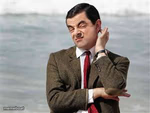
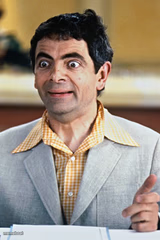
Templates similar to Bean shrug

Bean shrug meme FAQ
How do I make a Bean shrug meme?
Scroll up to the Bean shrug template, type your caption into the 2 text boxes in the editor above, adjust the font, size and color if you like, then click download. Your finished Bean shrug meme is ready to share in seconds.
Can I use the Bean shrug template for free?
Yes. The Bean shrug template is completely free to use — no signup and no limits on how many memes you create or where you share them.
How do I download my Bean shrug meme?
Click the download button under the editor once your Bean shrug meme looks right. It saves straight to your device as a high-quality PNG or JPEG image.
How do I download the blank Bean shrug template?
Use the "Download blank template" button in the blank Bean shrug template section above to save the original, un-captioned image — handy if you'd rather caption it in another app or keep a copy.