
Bad Pun Mr. Rogers Meme Generator
Create Your Bad Pun Mr. Rogers Meme

Three-panel screenshot of Mister Rogers calmly swapping his shoes on Mister Rogers' Neighborhood — perfect for slow, wholesome, or ironic bad-pun setups. Caption and download free.
Blank Bad Pun Mr. Rogers meme template
Download the blank Bad Pun Mr. Rogers template to caption it yourself, or add your text right here in the editor above and download the finished meme.
When to use the Bad Pun Mr. Rogers meme
- Slowly transitioning from 'work mode' to 'weekend mode'
- Setting up a corny pun across three panels for maximum groan
- Calmly preparing for something everyone else is panicking about
Bad Pun Mr. Rogers template facts
- Featuring
- Mister Rogers (Mister Rogers' Neighborhood)
- Dimensions
- 466 × 1080 px
- Format
- JPG
- Text boxes
- 3
- Added
- 2025
About the Bad Pun Mr. Rogers meme template
The iconic opening-credits moment: Fred Rogers sits down, unhurried and smiling, and swaps his dress shoes for sneakers like it's the most important ritual of the day. Three panels give you room to build a joke in stages instead of cramming it into one line.
Popular Bad Pun Mr. Rogers caption ideas
It's a beautiful day · to ignore all my responsibilities · and take a nap instead
Switching from work shoes · to 'I am not doing anything else today' shoes · there, perfect
Everyone: the deadline is in an hour · Me: · anyway, would you be mine?
Templates similar to Bad Pun Mr. Rogers
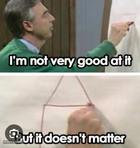



Bad Pun Mr. Rogers meme FAQ
How do I make a Bad Pun Mr. Rogers meme?
Scroll up to the Bad Pun Mr. Rogers template, type your caption into the 3 text boxes in the editor above, adjust the font, size and color if you like, then click download. Your finished Bad Pun Mr. Rogers meme is ready to share in seconds.
Can I use the Bad Pun Mr. Rogers template for free?
Yes. The Bad Pun Mr. Rogers template is completely free to use — no signup and no limits on how many memes you create or where you share them.
How do I download my Bad Pun Mr. Rogers meme?
Click the download button under the editor once your Bad Pun Mr. Rogers meme looks right. It saves straight to your device as a high-quality PNG or JPEG image.
How do I download the blank Bad Pun Mr. Rogers template?
Use the "Download blank template" button in the blank Bad Pun Mr. Rogers template section above to save the original, un-captioned image — handy if you'd rather caption it in another app or keep a copy.