
Astolfo Meme Generator
Create Your Astolfo Meme
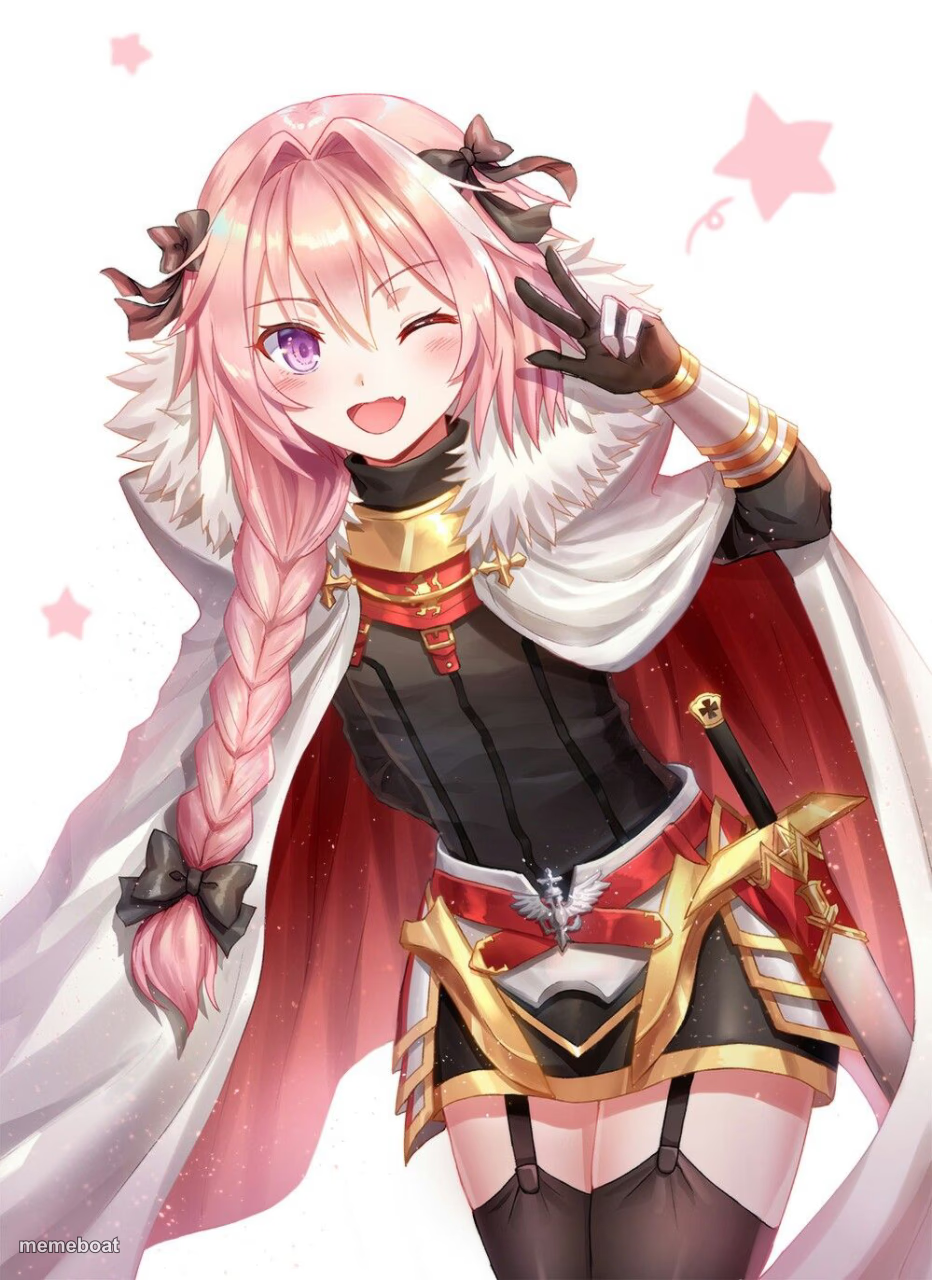
Astolfo winking and flashing a peace sign — perfect for wholesome chaos, anime crossover jokes, or flexing your best trap card. Caption it free, no sign-up.
Blank Astolfo meme template
Download the blank Astolfo template to caption it yourself, or add your text right here in the editor above and download the finished meme.
When to use the Astolfo meme
- Winning by accident and acting like it was the plan all along
- Anime crossover banter between fandoms
- Clutching a game win with zero chill
- Being unbothered after chaos you clearly caused
Astolfo template facts
- Featuring
- Astolfo (Fate/Apocrypha)
- Dimensions
- 932 × 1280 px
- Format
- JPG
- Text boxes
- 2
- Added
- 2025
About the Astolfo meme template
Pink braid, cape, sword strapped to the hip, and that unmistakable wink-and-peace-sign combo — Astolfo showing up mid-battle looking way too pleased with himself. It's the energy of someone who just did something reckless and has zero regrets about it.
Use this one for anime crossover bits, "I did the thing and I'd do it again" captions, or any moment that calls for chaotic confidence with a smile. Works great for gaming clutch moments too.
Popular Astolfo caption ideas
Told them it was a bad idea · Did it anyway
Templates similar to Astolfo

Astolfo meme FAQ
How do I make a Astolfo meme?
Scroll up to the Astolfo template, type your caption into the 2 text boxes in the editor above, adjust the font, size and color if you like, then click download. Your finished Astolfo meme is ready to share in seconds.
Can I use the Astolfo template for free?
Yes. The Astolfo template is completely free to use — no signup and no limits on how many memes you create or where you share them.
How do I download my Astolfo meme?
Click the download button under the editor once your Astolfo meme looks right. It saves straight to your device as a high-quality PNG or JPEG image.
How do I download the blank Astolfo template?
Use the "Download blank template" button in the blank Astolfo template section above to save the original, un-captioned image — handy if you'd rather caption it in another app or keep a copy.