
Emotional Damage Meme Generator
Create Your Emotional Damage Meme
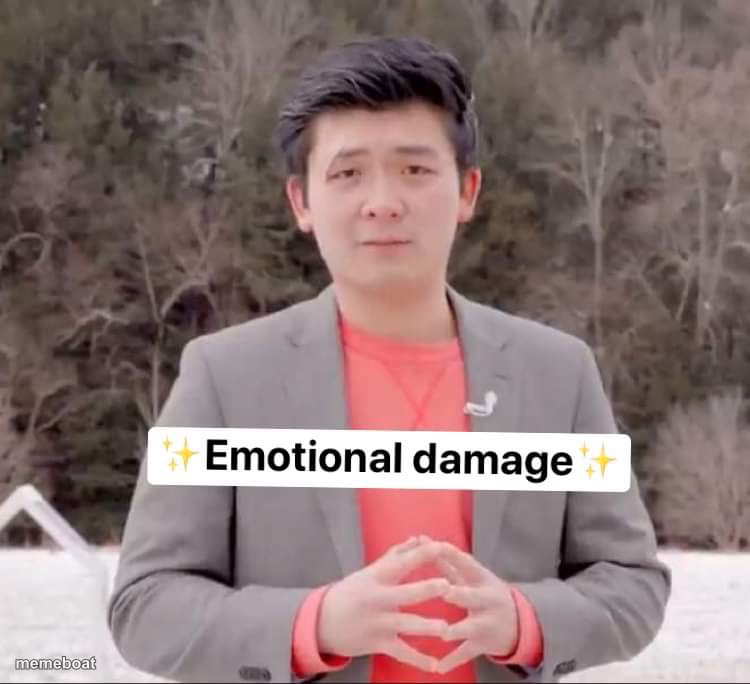
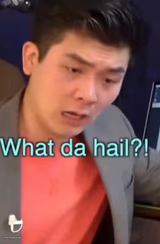
The 'Emotional Damage' guy delivering his signature sparkly-text roast line. Caption it and download free.
Blank Emotional Damage meme template
Download the blank Emotional Damage template to caption it yourself, or add your text right here in the editor above and download the finished meme.
When to use the Emotional Damage meme
- Reacting to a savage roast or comeback
- Someone getting exposed with receipts
- A brutal but hilarious rejection
Emotional Damage template facts
- Featuring
- Steven He (Emotional Damage skit)
- Dimensions
- 750 × 684 px
- Format
- JPG
- Text boxes
- 1
- Added
- 2025
About the Emotional Damage meme template
This is the guy from the viral 'Emotional Damage' bit, standing dead calm in a gray blazer while the sparkly on-screen text does all the devastation. It's the meme equivalent of a mic drop.
Use it any time someone gets absolutely roasted, a savage comeback lands, or you need to caption a burn so clean it needs its own sound effect.
Popular Emotional Damage caption ideas
When she says 'we're just friends' in front of everyone
When your code works and you don't know why
When the waiter takes your plate before you're done
Emotional Damage meme FAQ
How do I make a Emotional Damage meme?
Scroll up to the Emotional Damage template, type your caption into the text box in the editor above, adjust the font, size and color if you like, then click download. Your finished Emotional Damage meme is ready to share in seconds.
Can I use the Emotional Damage template for free?
Yes. The Emotional Damage template is completely free to use — no signup and no limits on how many memes you create or where you share them.
How do I download my Emotional Damage meme?
Click the download button under the editor once your Emotional Damage meme looks right. It saves straight to your device as a high-quality PNG or JPEG image.
How do I download the blank Emotional Damage template?
Use the "Download blank template" button in the blank Emotional Damage template section above to save the original, un-captioned image — handy if you'd rather caption it in another app or keep a copy.