
Angry noot noots Meme Generator
Create Your Angry noot noots Meme

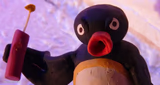
Pingu the penguin, arms crossed and glaring, captioned '*angry noot noots*' — the classic passive-aggressive penguin rage template. Free to caption.
Blank Angry noot noots meme template
Download the blank Angry noot noots template to caption it yourself, or add your text right here in the editor above and download the finished meme.
When to use the Angry noot noots meme
- Getting blamed for something a coworker did
- Silent fury after losing an argument you were clearly right about
- Watching someone merge without signaling
Angry noot noots template facts
- Featuring
- Pingu
- Dimensions
- 464 × 332 px
- Format
- JPG
- Added
- 2025
About the Angry noot noots meme template
Pingu, arms folded, giving the most disapproving stare a stop-motion penguin has ever managed, with the caption "*angry noot noots*" already baked in. It's become shorthand for quiet, seething rage — the kind where you're not yelling, you're just done.
Perfect for petty grudges, being wronged in a way only you seem to care about, or any situation where you're radiating fury but keeping it classy. Swap the caption or layer text on top for your own noot-noot-worthy moment.
Templates similar to Angry noot noots



Angry noot noots meme FAQ
How do I make a Angry noot noots meme?
Scroll up to the Angry noot noots template, add your own text boxes in the editor above and type your captions, adjust the font, size and color if you like, then click download. Your finished Angry noot noots meme is ready to share in seconds.
Can I use the Angry noot noots template for free?
Yes. The Angry noot noots template is completely free to use — no signup and no limits on how many memes you create or where you share them.
How do I download my Angry noot noots meme?
Click the download button under the editor once your Angry noot noots meme looks right. It saves straight to your device as a high-quality PNG or JPEG image.
How do I download the blank Angry noot noots template?
Use the "Download blank template" button in the blank Angry noot noots template section above to save the original, un-captioned image — handy if you'd rather caption it in another app or keep a copy.