
angry luigi Meme Generator
Create Your angry luigi Meme

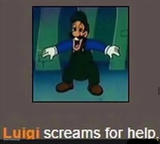
Close-up of Luigi glaring with pure rage in his eyes. Perfect for pent-up frustration or barely-contained fury. Caption it and download free, no sign-up.
Blank angry luigi meme template
Download the blank angry luigi template to caption it yourself, or add your text right here in the editor above and download the finished meme.
When to use the angry luigi meme
- Getting hit by a blue shell one block from the finish line
- Watching your younger sibling get away with everything
- Holding in rage during a work meeting
- When Mario takes credit for the save again
angry luigi template facts
- Featuring
- Luigi (Super Mario)
- Dimensions
- 500 × 500 px
- Format
- PNG
- Added
- 2025
About the angry luigi meme template
Forget the goofy, always-second-place Luigi — this close-up crop catches him mid-glare, eyebrows locked in and eyes practically burning a hole through whoever's on the other end of that stare. It's the rare shot of Luigi looking like he's about to snap.
Use it for the moment your patience runs out but you're still holding it together on the outside. Sibling rivalry, getting blue-shelled at the finish line, or just quietly seething at a coworker — this face says it all without a word.
Templates similar to angry luigi



angry luigi meme FAQ
How do I make a angry luigi meme?
Scroll up to the angry luigi template, add your own text boxes in the editor above and type your captions, adjust the font, size and color if you like, then click download. Your finished angry luigi meme is ready to share in seconds.
Can I use the angry luigi template for free?
Yes. The angry luigi template is completely free to use — no signup and no limits on how many memes you create or where you share them.
How do I download my angry luigi meme?
Click the download button under the editor once your angry luigi meme looks right. It saves straight to your device as a high-quality PNG or JPEG image.
How do I download the blank angry luigi template?
Use the "Download blank template" button in the blank angry luigi template section above to save the original, un-captioned image — handy if you'd rather caption it in another app or keep a copy.