
ANGRY JAKE Meme Generator
Create Your ANGRY JAKE Meme
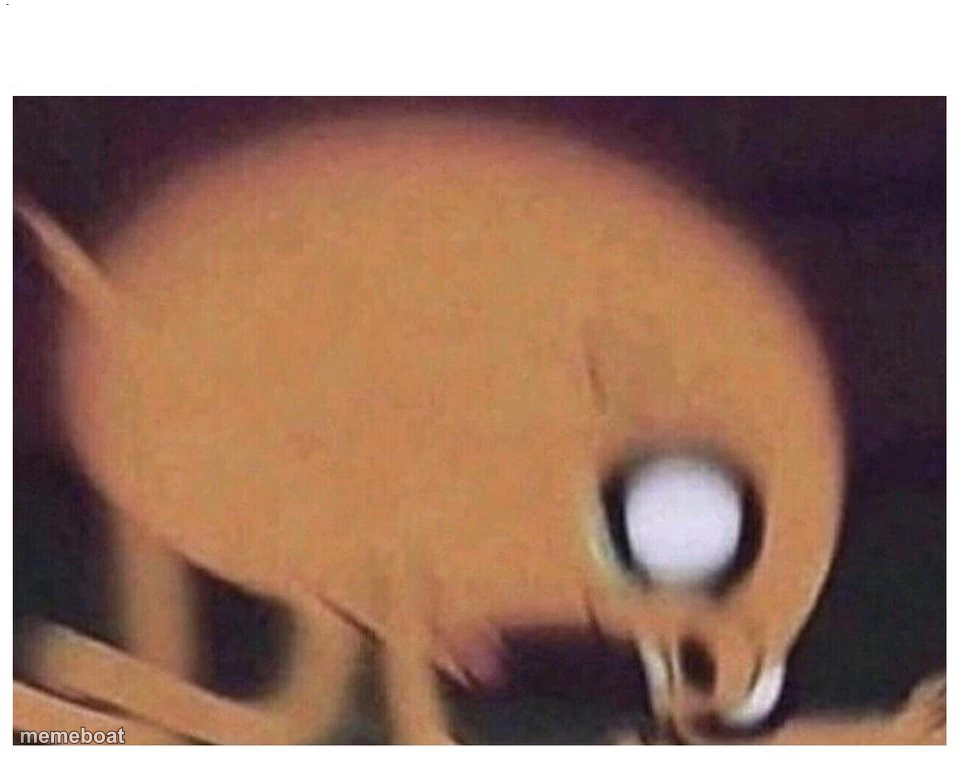
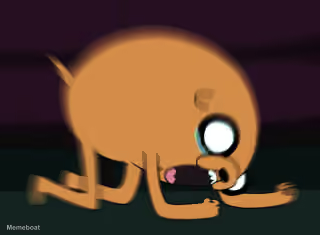
A blurry, extreme close-up zoom of an orange animal snout with one wide eye — perfect for over-the-top 'zoomed in for no reason' reaction memes.
Blank ANGRY JAKE meme template
Download the blank ANGRY JAKE template to caption it yourself, or add your text right here in the editor above and download the finished meme.
When to use the ANGRY JAKE meme
- Someone insists they saw something but the photo is useless
- Reacting to a low-quality screenshot sent as 'proof'
- Zooming in on a photo way too much trying to identify something
- A dramatic movie zoom that reveals nothing
ANGRY JAKE template facts
- Dimensions
- 960 × 759 px
- Format
- JPG
- Text boxes
- 1
- Added
- 2025
About the ANGRY JAKE meme template
Somebody hit zoom one too many times. This is a heavily pixelated, blown-up close-up of some kind of orange creature's face — you can just make out an eye and a snout, and that's about it.
It's the ideal template for the 'when the camera zooms in dramatically but you can't tell what's happening' joke, or any caption about squinting really hard at something blurry.
Popular ANGRY JAKE caption ideas
ME TRYING TO READ THE GROUP CHAT WITHOUT MY GLASSES
THE SCREENSHOT THEY SENT AS EVIDENCE
Templates similar to ANGRY JAKE
ANGRY JAKE meme FAQ
How do I make a ANGRY JAKE meme?
Scroll up to the ANGRY JAKE template, type your caption into the text box in the editor above, adjust the font, size and color if you like, then click download. Your finished ANGRY JAKE meme is ready to share in seconds.
Can I use the ANGRY JAKE template for free?
Yes. The ANGRY JAKE template is completely free to use — no signup and no limits on how many memes you create or where you share them.
How do I download my ANGRY JAKE meme?
Click the download button under the editor once your ANGRY JAKE meme looks right. It saves straight to your device as a high-quality PNG or JPEG image.
How do I download the blank ANGRY JAKE template?
Use the "Download blank template" button in the blank ANGRY JAKE template section above to save the original, un-captioned image — handy if you'd rather caption it in another app or keep a copy.