
amogus Meme Generator
Create Your amogus Meme

A snarky alien caller shouts 'Amogus' at an Among Us character hiding in a snow globe. Great for calling out someone hiding something. Caption free and download.
Blank amogus meme template
Download the blank amogus template to caption it yourself, or add your text right here in the editor above and download the finished meme.
When to use the amogus meme
- Calling out a coworker who's obviously slacking off in a meeting
- Spotting the one person who didn't actually read the group chat
- When someone thinks their lie is working
amogus template facts
- Featuring
- Amogus (Among Us)
- Dimensions
- 928 × 900 px
- Format
- PNG
- Text boxes
- 1
- Added
- 2025
About the amogus meme template
A smirking alien points out the obvious — there's an Among Us crewmate just chilling inside a snow globe, badly disguised as scenery, and everyone knows it. It's the classic 'we can all see you' energy dressed up as a comic panel.
Use it whenever someone's hiding in plain sight, lying unconvincingly, or trying to blend in when it's painfully obvious what's going on. Great for calling out an impostor of any kind, literal or figurative.
Popular amogus caption ideas
AMOGUS
When you spot the impostor in the group project
Me finding the last cookie you 'didn't eat'
Templates similar to amogus

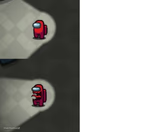
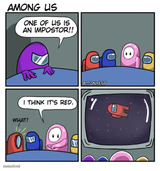
amogus meme FAQ
How do I make a amogus meme?
Scroll up to the amogus template, type your caption into the text box in the editor above, adjust the font, size and color if you like, then click download. Your finished amogus meme is ready to share in seconds.
Can I use the amogus template for free?
Yes. The amogus template is completely free to use — no signup and no limits on how many memes you create or where you share them.
How do I download my amogus meme?
Click the download button under the editor once your amogus meme looks right. It saves straight to your device as a high-quality PNG or JPEG image.
How do I download the blank amogus template?
Use the "Download blank template" button in the blank amogus template section above to save the original, un-captioned image — handy if you'd rather caption it in another app or keep a copy.