
Alignment Chart Meme Generator
Create Your Alignment Chart Meme

Create Alignment Chart memes with custom text. This grid format lets you categorize characters, behaviors, or concepts across different axes. Free download.
Blank Alignment Chart meme template
Download the blank Alignment Chart template to caption it yourself, or add your text right here in the editor above and download the finished meme.
Alignment Chart template facts
- Dimensions
- 680 × 544 px
- Format
- JPG
- Text boxes
- 9
- Added
- 2026
About the Alignment Chart meme template
Start with clear categories for your axes when crafting an Alignment Chart meme. The most effective captions establish what each direction represents before filling in the grid squares.
This template uses a grid structure to organize different characters, behaviors, or concepts across two intersecting scales. Your caption works best when each grid position represents a distinct combination of the two axes you've chosen.
Consider using familiar characters or relatable scenarios that your audience will immediately recognize. The humor often comes from unexpected but logical placements within your chosen framework.
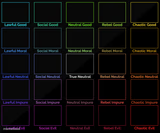
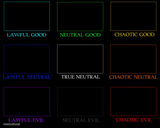
Templates similar to Alignment Chart


Alignment Chart meme FAQ
How do I make a Alignment Chart meme?
Scroll up to the Alignment Chart template, type your caption into the 9 text boxes in the editor above, adjust the font, size and color if you like, then click download. Your finished Alignment Chart meme is ready to share in seconds.
Can I use the Alignment Chart template for free?
Yes. The Alignment Chart template is completely free to use — no signup and no limits on how many memes you create or where you share them.
How do I download my Alignment Chart meme?
Click the download button under the editor once your Alignment Chart meme looks right. It saves straight to your device as a high-quality PNG or JPEG image.
How do I download the blank Alignment Chart template?
Use the "Download blank template" button in the blank Alignment Chart template section above to save the original, un-captioned image — handy if you'd rather caption it in another app or keep a copy.